Take Apart Video Card - 9
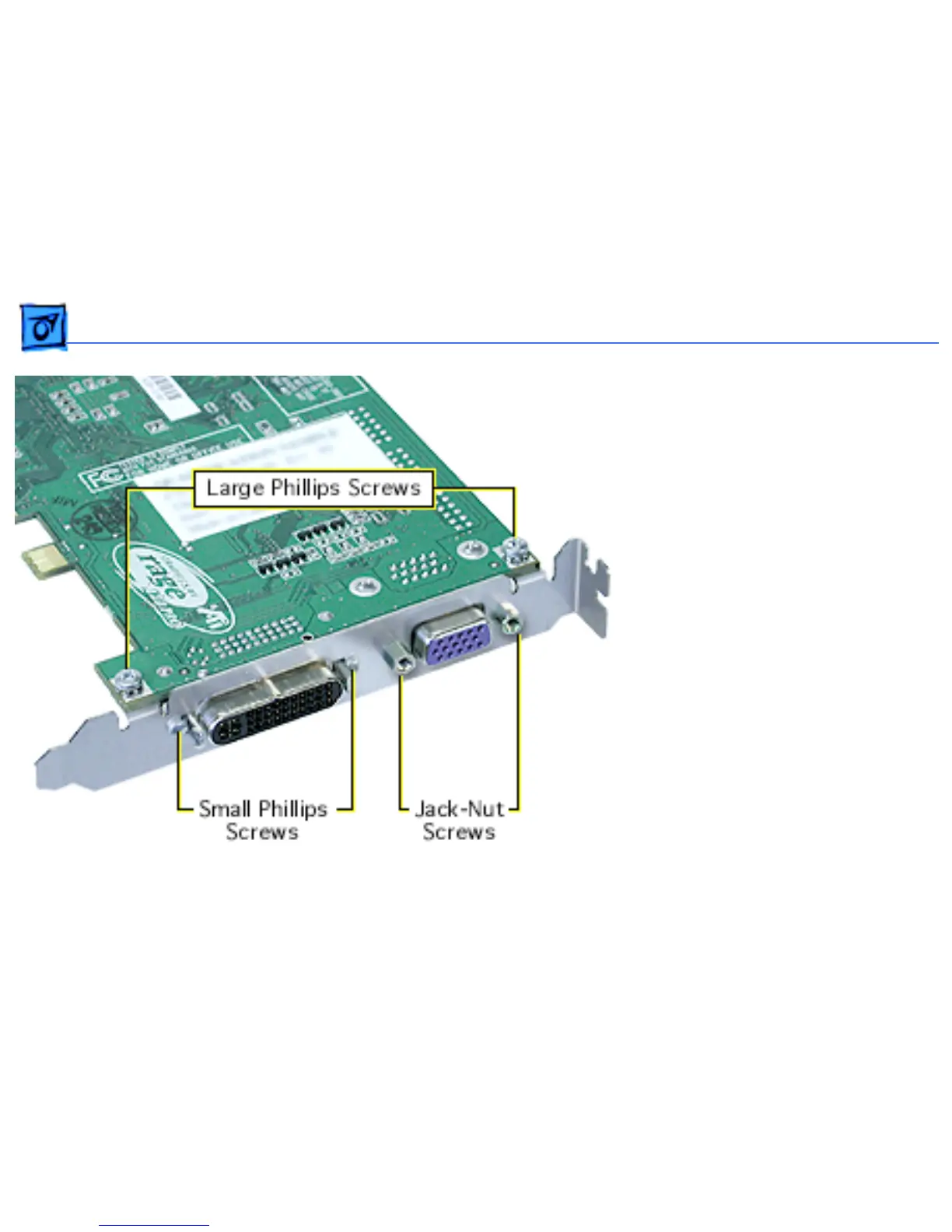
Replacement Note:
If the
replacement card does not
have a fence already installed,
attach the fence enclosed in
the box. Using a Phillips
screwdriver, install the two
small Phillips screws on either
side of the ADC connector and
the two large Phillips screws on
the fence side tabs. Using
pliers, install the two jack-nut
screws on either side of the
VGA connector.



 To Next Page