Appendix C Connecting to the Internet 101
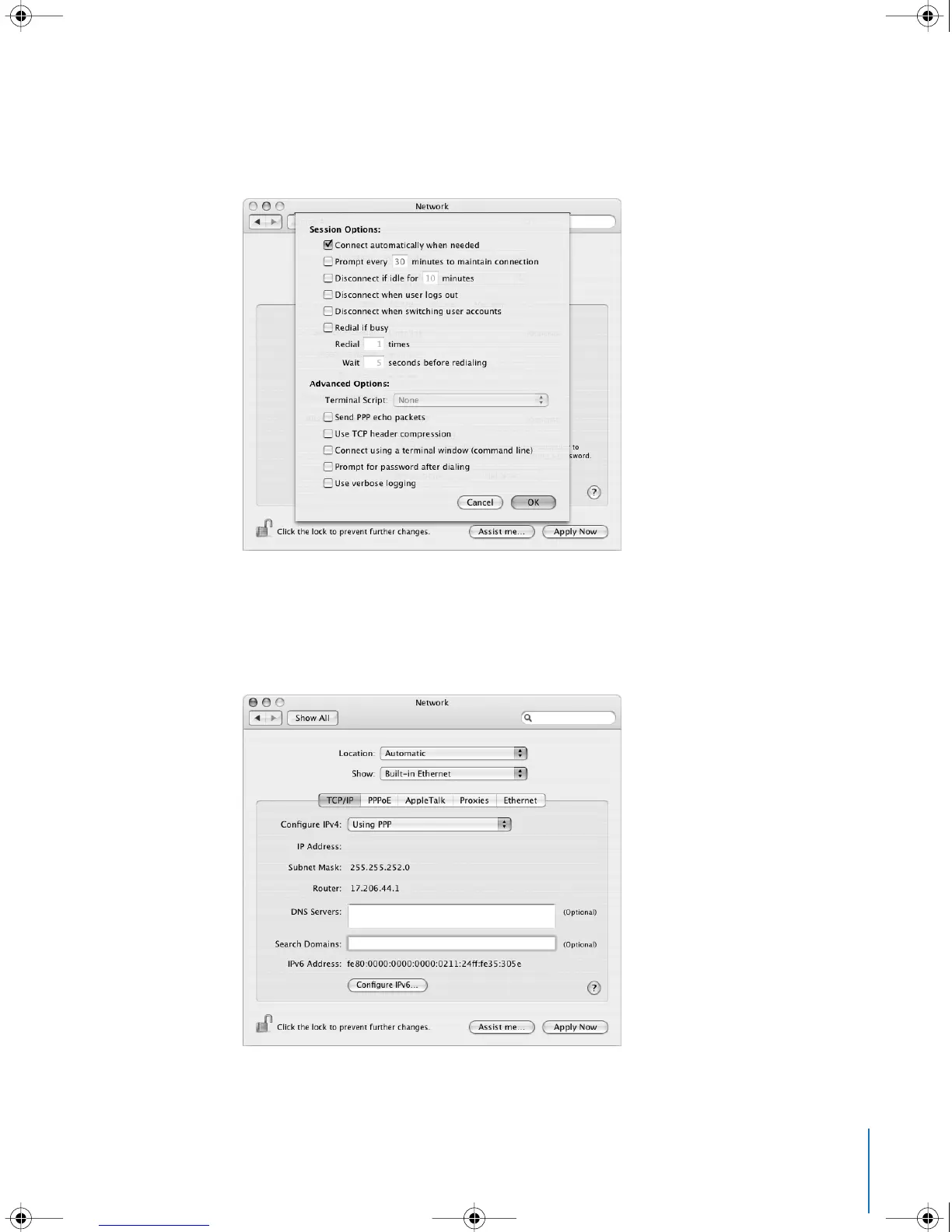
Note: To connect automatically when you start a TCP/IP application, such as a web
browser or email, click PPPoE Options, then select “Connect automatically when
needed” and click OK.
4 Click TCP/IP and choose either Using PPP or Manually from the Configure IPv4 pop-up
menu, as instructed by your ISP. If you have a static IP address from your ISP, choose
Manually and type the address in the IP Address field.
5 Type the domain name server (DNS) addresses in the DNS Servers field.
6 Click Apply Now.
LL3218Q87.book Page 101 Wednesday, March 16, 2005 6:28 PM



 To Next Page