50 Chapter 3 Working Inside Your Computer
To install memory:
1 Open your computer and remove the side panel, air deflector, and fan assembly
following the directions that begin on page 44.
2 Locate the DIMM slots in the computer.
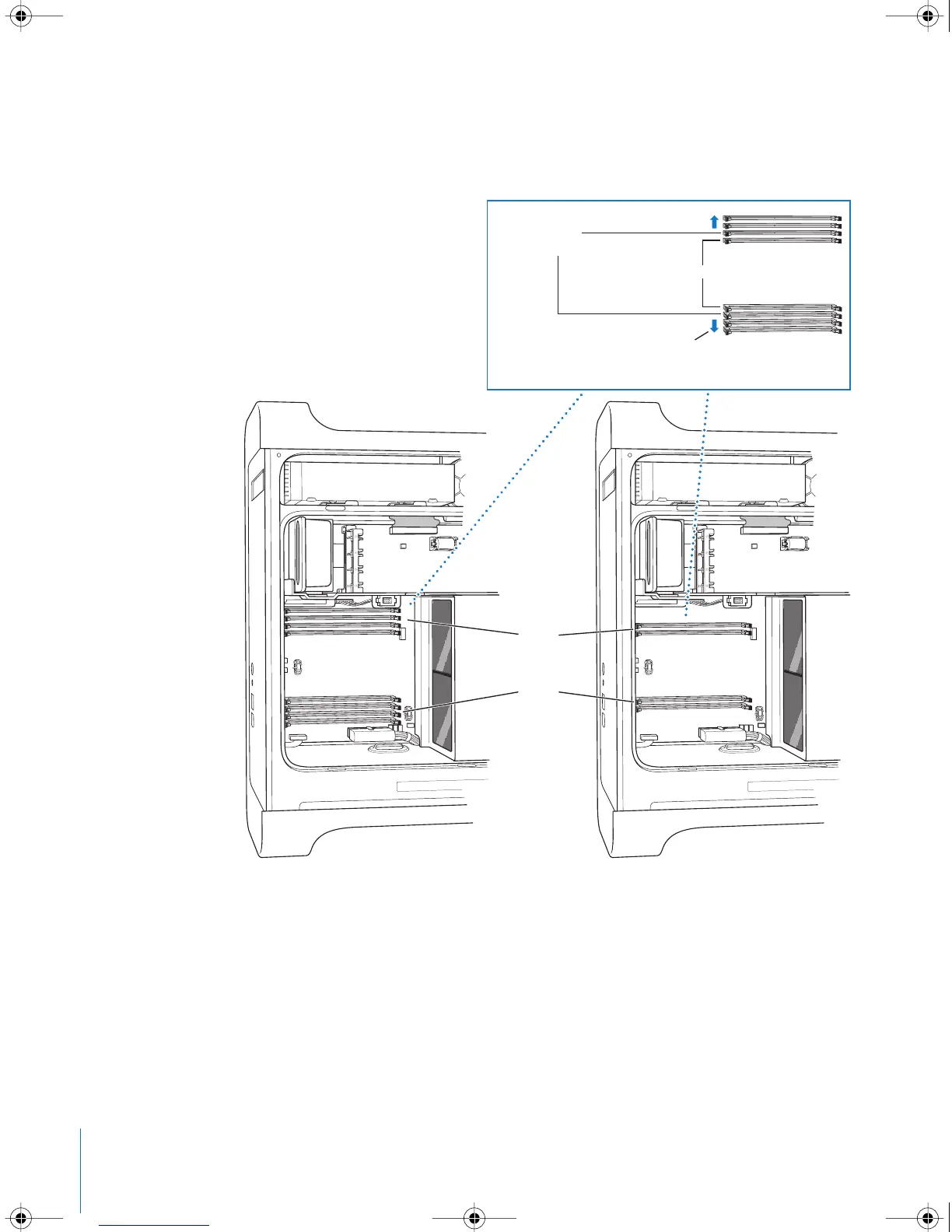
Important: Always install DIMMs in pairs of equal size and in the order designated in
the illustration above.
No matter how many SDRAM slots
your computer has, the SDRAM DIMMs
must be installed in pairs with one
DIMM per bank.
DIMMs are already installed in these two slots.
Install additional
DIMMs in these
two slots first.
If slots are available, and you want to
install more memory, install additional DIMMs in a
similar fashion: In pairs, one per bank, from the center outward.
Bank 1
Bank 2
LL3218Q87.book Page 50 Wednesday, March 16, 2005 6:28 PM



 To Next Page