Chapter 3 Working Inside Your Computer 65
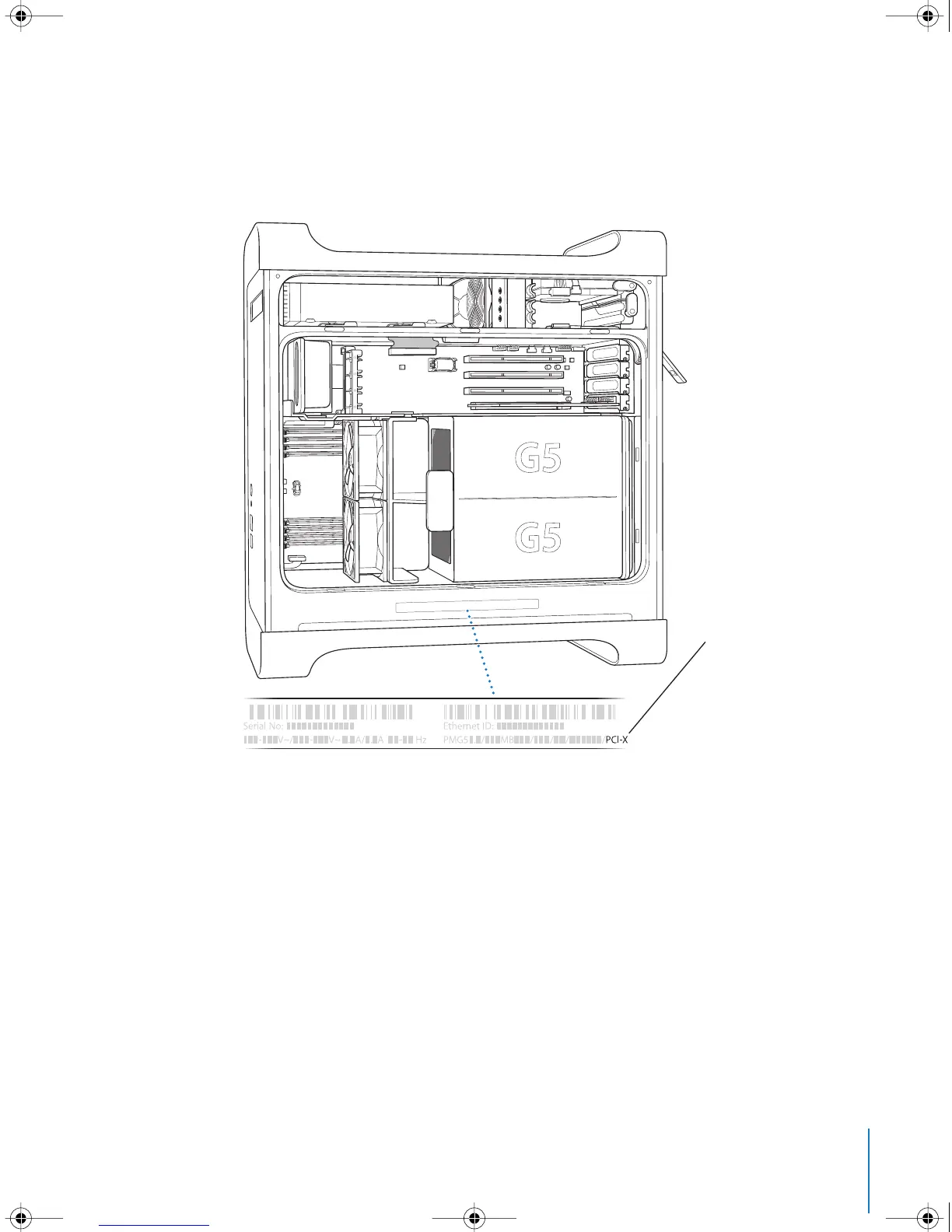
To determine whether your computer has PCI or PCI-X slots, read the ID label, which is
located on the side of the computer at the bottom under the air deflector. You can also
identify your model by the number of DIMM slots. Computers with 4 DIMM slots have
33 MHz PCI slots; computers with 8 DIMM slots have 100 and 133 MHz PCI-X slots.
Your computer’s ID label
tells you what hardware
configuration you have.
It is coded and resembles
the label shown here. If
your computer has PCI-X
slots it will be listed here.
If you don’t see “PCI-X”
your computer has
PCI slots.
LL3218Q87.book Page 65 Wednesday, March 16, 2005 6:28 PM



 To Next Page