10 -
Studio Display (17" ADC) Take Apart
Monitor Stand
Installing the Replacement Monitor Stand
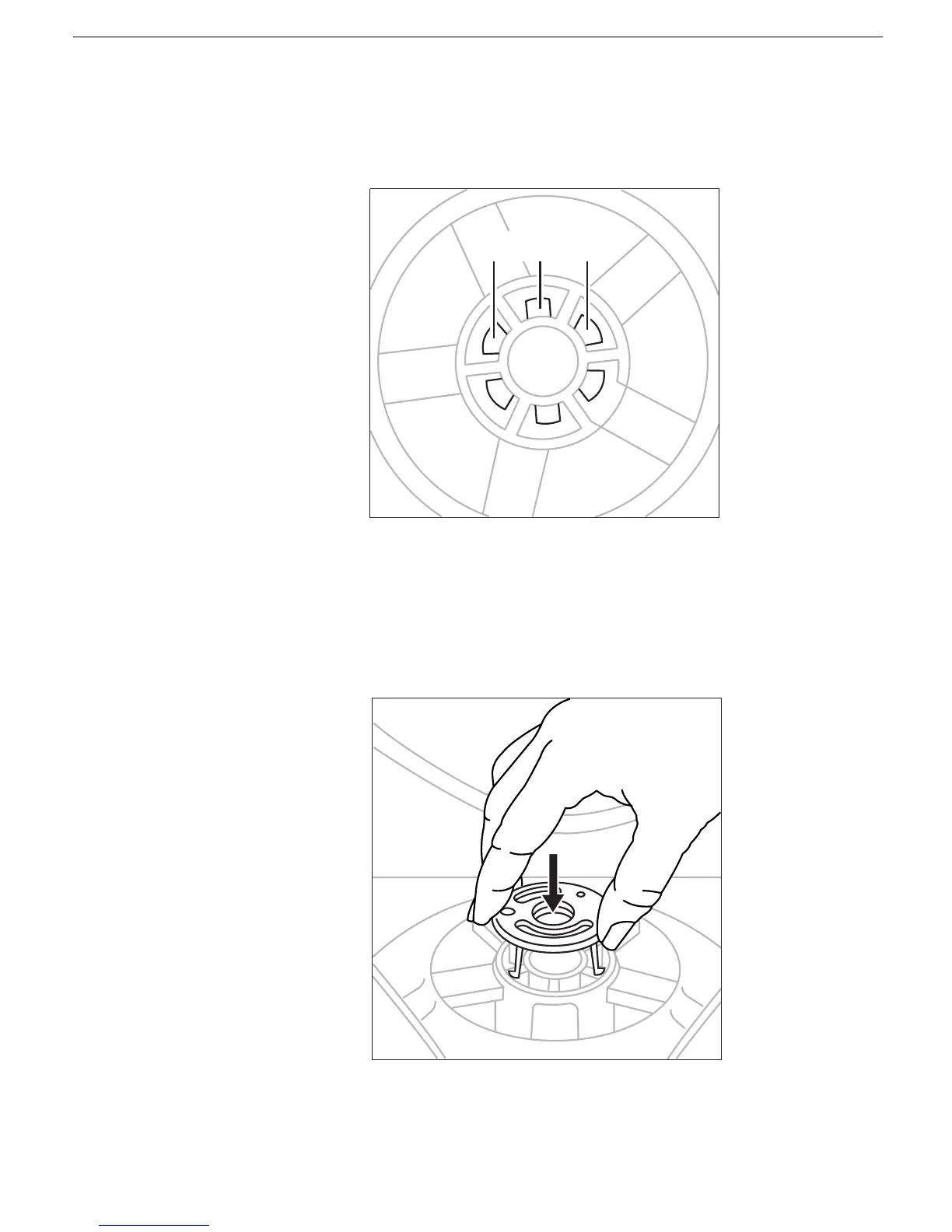
1. Holding the new monitor stand, align the slots in the center of the stand with the tabs
on the base of the monitor.
2. Slide the stand up to engage the locking tabs.
3. Turn the stand counterclockwise.
4. Align the retaining clip and press it down until it clicks into place. The retaining clip is
keyed and only fits one way.
5. Check that the stand slides easily.
6. Turn your monitor upright and reconnect it to the computer.



 To Next Page