UserGuideforRTP‐3280EthernetInterface
AppostarTechnologyCo.,Ltd. Page3
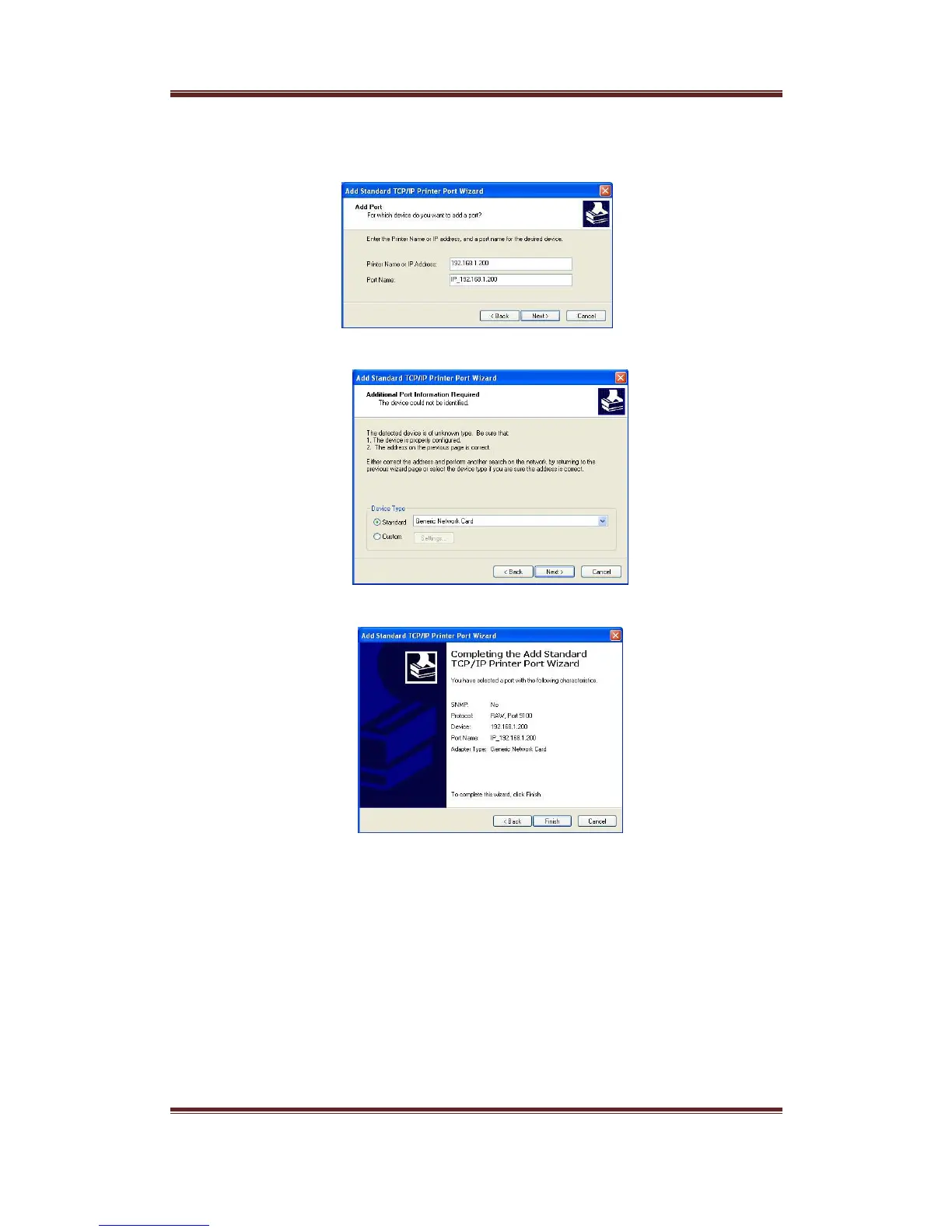
5. TheAddStandardTCP/IPPortWizardwillbeevoked.PressNextbottomtoproceed.
6. InputtheIPaddressintheupperfieldandpressNextbottom.
7. SelectStandardtypeandGenericNetworkCard.
8. Afterdisplayingtheinformationofthenewlyaddedport,pressFinishbottomto
endtheprocedure.
9. InthePortpageofRTP‐3280’spropertiessheets,anewlyaddedTCP/IPportcanbefound.Pleaseselectthe
newportbyhavingthecheckboxoftheportchecked.AndthenpressApplybottomtomakeyouselection
effect.


 To Next Page