
 Need help?
Do you have a question about the Apricorn Aegis Padlock DT and is the answer not in the manual?
Lists items included in the box.
Describes the function of the Cancel button.
Describes the function of the UNLOCK button.
Explains LED colors for different operation modes.
Provides important preliminary usage notes.
Step-by-step guide for connecting the drive.
Steps to set the initial Admin PIN for first-time use.
Describes the drive's standby operational state.
Details the steps to access the drive as a user.
Instructions on how to leave the user mode.
Procedure for modifying the Administrator PIN.
Lists available automatic lock timeout intervals.
Defines the concept of brute force attacks.
Explains how the drive protects against attacks.
Step-by-step guide to perform a full system reset.
Steps to initialize the drive post-reset.
Notes on safe OS interactions with the drive.
Instructions to activate the drive's diagnostic mode.
Procedures for dealing with a lost Admin PIN.
Explains why the OS might not recognize the drive post-reset.
Addresses issues when unable to change the default PIN.
Clarifies that a PIN is always required for operation.
Provides website, email, and phone contact information.
Outlines the terms and conditions of the limited warranty.
Lists disclaimers and terms related to the product warranty.
 General
| Type | HDD |
|---|---|
| HDD size | - \ |
| HDD speed | - RPM |
| HDD capacity | 6000 GB |
| Storage drive buffer size | 8 MB |
| Storage drive average seek time | 12 ms |
| Connectivity technology | Wired |
| USB version | 3.2 Gen 1 (3.1 Gen 1) |
| USB connector | USB Type-A |
| Card reader integrated | No |
| Maximum data transfer rate | 5000 Mbit/s |
| Certification | FCC, CE |
| Product color | Black |
| Protection features | Shock resistant |
| Security algorithms | 256-bit AES |
| Windows operating systems supported | Yes |
| Bus powered | USB |
| Operating shock | 300 G |
 Weight and Dimensions
| Depth | 183 mm |
|---|---|
| Width | 114 mm |
| Height | 38 mm |

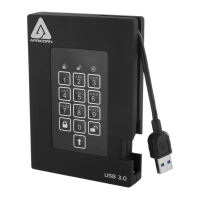
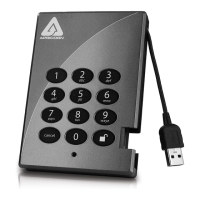
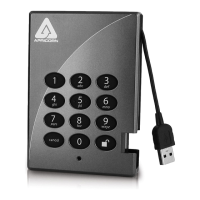
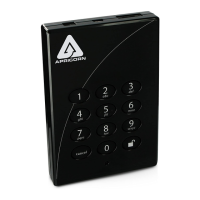


 To Next Page

