
 Need help?
Do you have a question about the Apricorn Aegis Secure Key 3z and is the answer not in the manual?
Details on entering and operating the device in Admin Mode for configuration.
Steps to unlock the Aegis Secure Key using a PIN.
Procedure to lock the Aegis Secure Key and return it to standby mode.
Configuring the automatic lock feature after a period of inactivity.
Details on how the Aegis Secure Key protects against brute-force attacks.
Steps to recover access if the User PIN is forgotten.
Procedure for recovering access when the Admin PIN is lost.
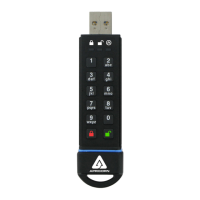
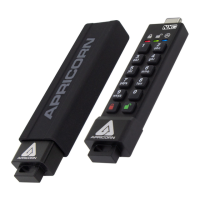
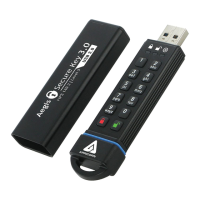
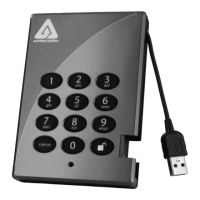
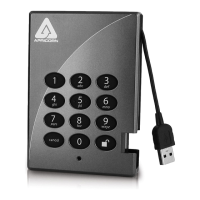
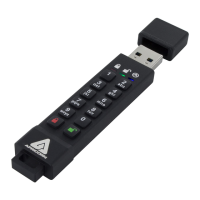
The Aegis Secure Key 3z is a portable, hardware-encrypted USB drive designed for secure data storage and access. It features a built-in keypad for PIN authentication, eliminating the need for software-based security and making it platform-independent. The device is equipped with a rechargeable internal battery, allowing for PIN entry before connecting to a computer's USB port.
The primary function of the Aegis Secure Key 3z is to provide secure, encrypted data storage. It utilizes AES 256-bit encryption, which is always active, ensuring that all data written to the drive is automatically encrypted. Access to the data is controlled by a Personal Identification Number (PIN) entered directly on the device's keypad. The device supports both an Admin PIN and an optional User PIN, allowing for flexible access control and sharing scenarios. The Admin PIN grants full control over the device's features, including setting up User PINs, configuring security settings, and accessing data. A User PIN provides access to the data but with limited administrative functionality, such as changing their own PIN and setting read-only/read-write modes.
The Aegis Secure Key 3z incorporates several advanced security features to protect against unauthorized access and data breaches. These include brute-force protection, which introduces time delays after multiple incorrect PIN attempts and ultimately crypto-erases the drive's data after a set number of failed tries. The device also offers a Self-Destruct PIN feature, which, when entered, performs a crypto-erase of all data, deletes the encryption key, and creates a new one, rendering the previous data irrecoverable. This is a critical feature for situations where data compromise is a risk.
For enhanced data integrity and security in various environments, the device can be configured for Read-Only or Read/Write modes. This is particularly useful when accessing data in public settings or for forensic applications where data must remain unaltered. The Admin can enforce a global Read-Only mode that cannot be overridden by the User.
To use the Aegis Secure Key 3z, the device must first be "woken up" by pressing the unlock button, which illuminates the RED LED. For first-time use, an Admin PIN must be established, which involves a series of keypad entries and LED confirmations. Once the Admin PIN is set, the device can be unlocked by entering the correct PIN, indicated by a blinking GREEN LED, and then plugged into a USB port. If not plugged in within 30 seconds, the device automatically locks itself.
The device offers an "Admin Mode" for configuring its various features. This mode is entered by a specific key combination and requires the Admin PIN. While in Admin Mode, the data on the key is not accessible, ensuring that administrative tasks are performed in a secure state. Features configurable in Admin Mode include:
The Aegis Secure Key 3z also includes a "Lock-Override Mode," which allows the key to remain unlocked through USB port re-enumeration, such as during a system reboot or when passing through a virtual machine. This mode is designed for specific use cases where continuous access is required, but it comes with a security warning regarding potential vulnerability if the device is not physically secured.
A "Diagnostic Mode" is available to verify keypad functionality and identify the firmware level. This mode does not grant access to data or administrative functions, serving purely as a troubleshooting tool.
Maintaining the Aegis Secure Key 3z primarily involves ensuring its internal battery is charged and understanding its reset procedures. The device automatically recharges its internal battery whenever it's plugged into a powered USB port. A pulsing RED LED indicates charging, and a steady RED LED signifies a full charge. To maintain optimal battery life, it's recommended to fully recharge the device every 4-6 months. Users are cautioned against attempting to replace the battery themselves due to potential damage and safety risks.
In situations such as a forgotten PIN, redeployment, or a desire to return the device to its factory default settings, a "Complete Reset" can be performed. This process crypto-erases all data, deletes encryption keys and PINs, and restores all settings to their defaults. After a complete reset, the device will be in an unformatted condition, requiring the user to initialize and format it, and set a new Admin PIN before it can be used again. This process is detailed in the manual, including steps for Windows and Mac operating systems.
The manual also provides troubleshooting information for common issues, such as forgotten PINs, the operating system not recognizing the device, LED error indicators, and questions about encryption algorithms. It emphasizes the importance of administrator privileges for disk management tasks and adhering to PIN requirements (minimum 7, maximum 16 digits, no sequential or repeating numbers).
For technical support, Apricorn provides a website, email support, and a dedicated technical support phone line, available during Pacific Time business hours. The device comes with a three-year limited warranty covering defects in materials and workmanship under normal use, with specific disclaimers regarding misuse, unauthorized modifications, or failure to follow instructions.
 General
| Interface | USB 3.0 |
|---|---|
| Operating System Compatibility | Windows, macOS, Linux |
| Storage Temperature | -4°F to 185°F (-20°C to 85°C) |
| Humidity | 5% to 95% non-condensing |
| Encryption | 256-bit AES XTS |
| Power | Bus-powered |
| Authentication | PIN code (7-16 digits) |
| Special Features | read-only mode |
| Operating Temperature | 32°F to 140°F (0°C to 60°C) |
| Storage Capacity | 8GB, 16GB, 32GB, 64GB, 128GB, 256GB |
| Compliance | FIPS 140-2 Level 3 |



 To Next Page
