19 www.Aprimatic.it
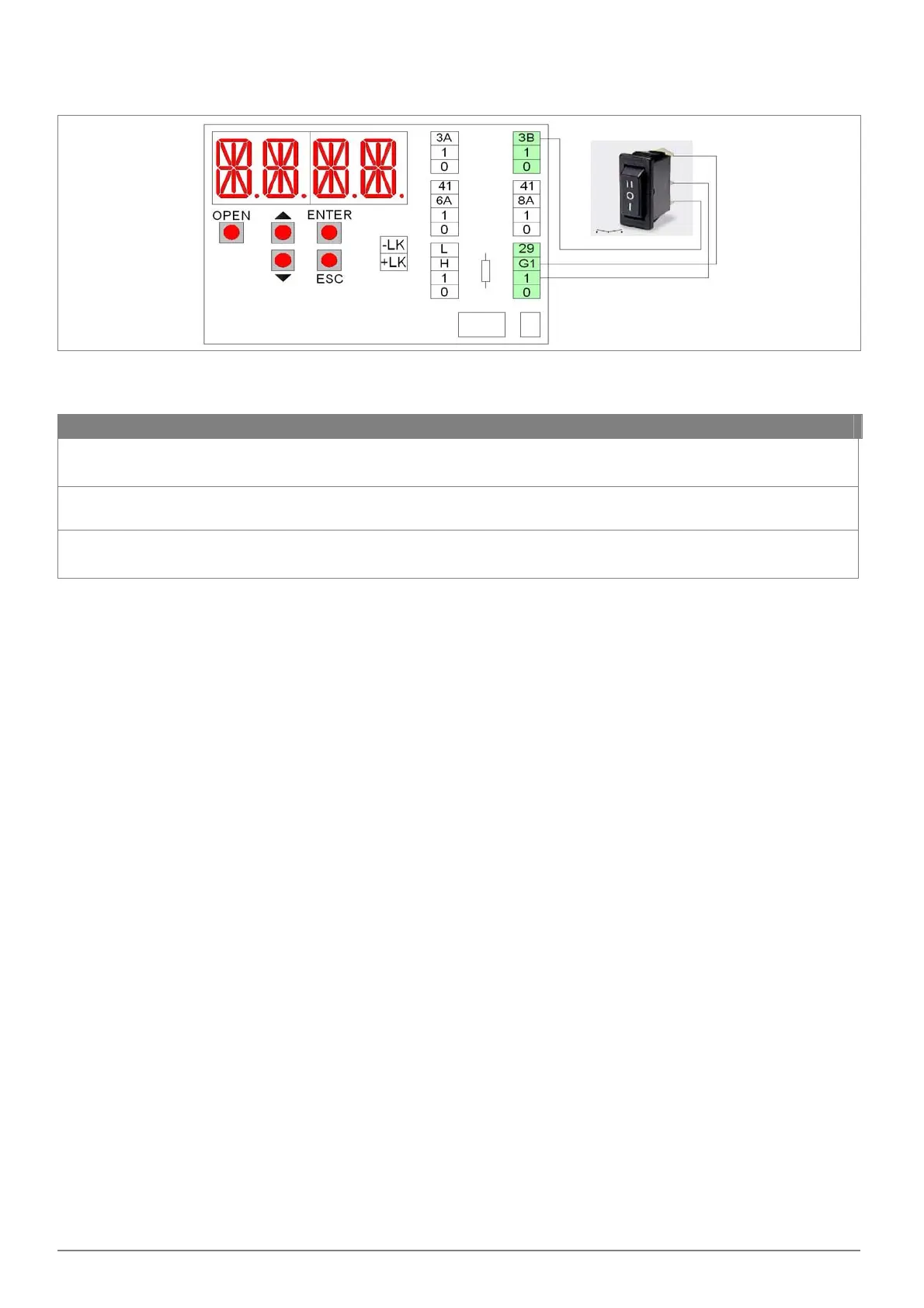
7.9 ELECTRICAL CONNECTION OF SWFD FUNCTION SWITCH
The SWFD function switch fixed directly on the automation.
Connect the function switch, using the supplied cable to the terminals of the electronic control as shown in figure (menu
setting: ADV> STG1 > KC).
Symbol Description
II
Open Door.
When selected, the door is permanently open. Note: the door can still be handled manually.
O
Automatic bi‐directional operation.
When selected, the door open and close automatic in bidirectional mode.
I
Closed door.
When selected, the door is permanently closed. If the electric lock is present, the door is closed and locked.


 To Next Page