EasyManua.ls Logo

APS Resource TURBO-ES - User Manual

APS Resource TURBO-ES
8 pages
Print Icon
To Next Page IconTo Next Page
Loading...
©2018 4Front Engineered Solutions, Inc. - APS Resource
6219 West Eastwood Court • Mequon, Wisconsin 53092 • TEL: (262) 518-1000 • FAX: 1-800-827-7491
Your Aftermarket Solution
AP6846J 8/18
PAGE 1
TURBO-ES FAN
Installation and Owner's Manual
Do not install, operate or service this product unless
you have read and understand the Safety Practices,
Warnings, and Installation and Operating Instructions
contained in this manual. Failure to do so could result
in death or serious injury.
This manual applies to TURBO-ES Fan manufactured beginning
AUGUST 2018.
TM
Question and Answer IconNeed help?

Do you have a question about the APS Resource TURBO-ES and is the answer not in the manual?

Summary

LIMITED WARRANTY

SAFETY SIGNAL WORDS

DANGER

Indicates an imminently hazardous situation that will result in death or serious injury.

WARNING

Indicates a potentially hazardous situation that could result in death or serious injury.

CAUTION

Indicates a potentially hazardous situation that may result in minor or moderate injury.

NOTICE

Indicates a potentially hazardous situation that may result in property damage.

SAFETY PRACTICES

Operation Safety

Guidelines for safe operation, including personnel instruction, protective screens, and body positioning.

Installation & Maintenance Safety

Safety precautions for installation and maintenance, focusing on electrical grounding and power disconnection.

INSTALLATION PROCEDURES

General Installation Checks

Pre-installation inspection for damage, proper fasteners, and ensuring the ON/OFF switch is off.

Mounting Fan to Arm Assembly

Detailed steps for attaching the TURBO-ES Fan to a dock arm assembly, including hardware.

OPTIONAL MOUNTING

Docklight Head Mounting

Procedure for mounting an optional docklight head to the fan arm assembly.

OPERATION AND MAINTENANCE

Operation

Instructions for deploying, operating, and storing the fan, including safety checks before use.

Maintenance

Guidelines for keeping the fan in good working condition, including fastener checks and cleaning.

PARTS LIST

Overview

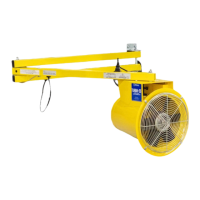
The TURBO-ES™ FAN is a specialized, powered equipment designed for specific job functions, primarily for providing airflow in various settings, particularly in loading dock environments. This device is manufactured by APS Resource, a division of 4Front Engineered Solutions, Inc.

Function Description

The primary function of the TURBO-ES Fan is to generate a continuous, dynamic source of air. It is designed to be mounted, typically on an arm assembly, to direct airflow into areas such as trailers being serviced at a loading dock. The fan aims to improve working conditions by providing cooling and ventilation.

Important Technical Specifications

The TURBO-ES Fan is available in different configurations regarding power cords and voltage:

  • 120 VAC models:
    • Kit, TURBO-ES Fan, 120 VAC, 10' Cord (AP6828)
    • Kit, TURBO-ES Fan, 120 VAC, 12' Cord (AP7816)
  • 220 VAC model:
    • Kit, TURBO-ES Fan, 220 VAC (AP8240)
  • Other power cord options:
    • TURBO-ES Fan, w/o Switch, 15" Cord (AP9599)
    • 10' Power Cord - Hardwired (AP6839)
    • 12' Power Cord - Hardwired (AP7826)
    • 15" Power Cord w/2 Locking Connectors & no Switch (AP9589)
    • 10' Power Cord w/ Locking IEC Connector NEMA Plug, and Switch (AP9588)

The fan assembly includes:

  • Grill (AP8186)
  • Fan Guard, TURBO-ES Fan (AP6841)
  • Handle, TURBO-ES Fan (AP6842)
  • Kit, Mounting Hardware (AP6259)

Arm assembly options for mounting:

  • Arm Assembly, 42" Reach (AP1432)
  • Arm Assembly, 60" Reach (AP7010)
  • HD Adjustable Arm (AP9600)

The unit is equipped with thermal overload protection and automatic reset, meaning the motor will restart without warning after it cools down following an overload event. It is designed to operate ONLY from a grounded, AC, single-phase power source.

Usage Features

The TURBO-ES Fan is intended for indoor use in reasonably dry, clean job site areas. It is crucial to ensure the fan is operated in a horizontal position to meet its enclosure definition.

Installation: The fan can be mounted on either the left or right side of a loading dock opening. The recommended mounting height for the fan handle is approximately 5 feet above the dock floor, allowing a dock worker to easily position the fan using the handle. The arm assembly is attached to the wall, and the fan is then secured to the arm using mounting hardware, including flat washers, lock washers, and a slotted lock nut. A cotter pin is installed last to secure the assembly. The tightness of the slotted lock nut can be adjusted to control the resistance when rotating the fan. The power cord must be routed along the arm assembly to prevent interference with operation and movement.

Optional Docklight Head Mounting: The manual also describes an optional mounting of a docklight head to the TURBO-ES Fan arm assembly. In this configuration, the arm assembly's receptacle orientation may differ (upward for docklight, downward for fan only). The docklight head is installed along with the lock washer and slotted lock nut, with similar adjustments for rotational resistance.

Operation:

  • Before operation, a visual inspection for damage, worn parts, and proper screen placement is mandatory.
  • The fan must not be operated without the inlet and outlet screens properly secured and in place, which must comply with OSHA regulations.
  • Operators must be fully instructed on proper operation, safety practices, and local regulations.
  • The fan should not be moved while in operation.
  • To operate, direct the fan into the desired area (e.g., upper corner of a trailer), then turn the toggle switch on the power cord to the ON position.
  • After use, turn the power switch to OFF and return the fan to its storage position.

Maintenance Features

Regular maintenance is essential for the fan's durability, safety, and proper function.

  • Routine Inspection: Frequently check all fasteners and individual parts, as well as the mounting of the product and the entire assembly, for loose connections, unsafe conditions, or damage. If the fan is hit during use, it must be re-inspected immediately.
  • Cleaning: Keep the fan clean and properly serviced. Heavy accumulations of dust and dirt can lead to overheating and premature failure of the motor. Clean the motor surfaces and all ventilation openings periodically.
  • Safety Devices: Ensure built-in safety features are maintained in good working condition.
  • Power Disconnection: Always stop the motor and disconnect the power source before attempting any service or maintenance to prevent accidental starting or electrical shock.
  • Authorized Repairs: Do not attempt any maintenance or repair work not described in this Owner's Manual. Only factory replacement parts (OEM) that do not interfere with the safe, normal operation of the product should be used.
  • Screen Integrity: Do not operate the blower without the inlet and outlet screens secured and in place. Replace screens with factory replacements if needed.

APS Resource TURBO-ES Specifications

General IconGeneral
BrandAPS Resource
ModelTURBO-ES
CategoryFan
LanguageEnglish