5609 RS 01/17
PAGE 12
©2017 4Front Engineered Solutions, Inc. - APS Resource
ENTER VEHICLE ON GREEN LIGHT
ONLY:
• Be certain wheels are chocked and the vehicle
brakes are set. If the vehicle cannot be hitched, and
after wheels are chocked and the vehicle brakes are
set:
Turn key switch from "NORMAL" to "RESTRAINT
OVERRIDE/HORN SILENCE". The inside lights
will change from red to red/green and the alarm will
silence.
TO RELEASE VEHICLE:
• Store dockleveler.
• If the inside light is green, press “RELEASE” push-
button.
If after pressing the "RELEASE" button, the inside
light turns RED and the alarm sounds, the restraint is
sensing it is not hitched and not properly released.
Make sure trailer is parked rmly against the dock
bumpers, and clear any obstructions. Turn the key
switch from "NORMAL" to "RESTRAINT OVER-
RIDE/HORN SILENCE", then turn key switch back to
"NORMAL" to release the restraint.
• If inside lights are red/green, turn key switch from
"RESTRAINT OVERRIDE/HORN SILENCE" to
"NORMAL".
If after turning the key switch to "NORMAL", the
inside light turns RED and the alarm sounds, the
restraint is sensing it is not hitched and not properly
released. Make sure trailer is parked rmly against
the dock bumpers, and clear any obstructions. Turn
the key switch from "NORMAL" to "RESTRAINT
OVERRIDE/HORN SILENCE", then turn key switch
back to "NORMAL" to release the restraint.
• The vehicle may now pull out.
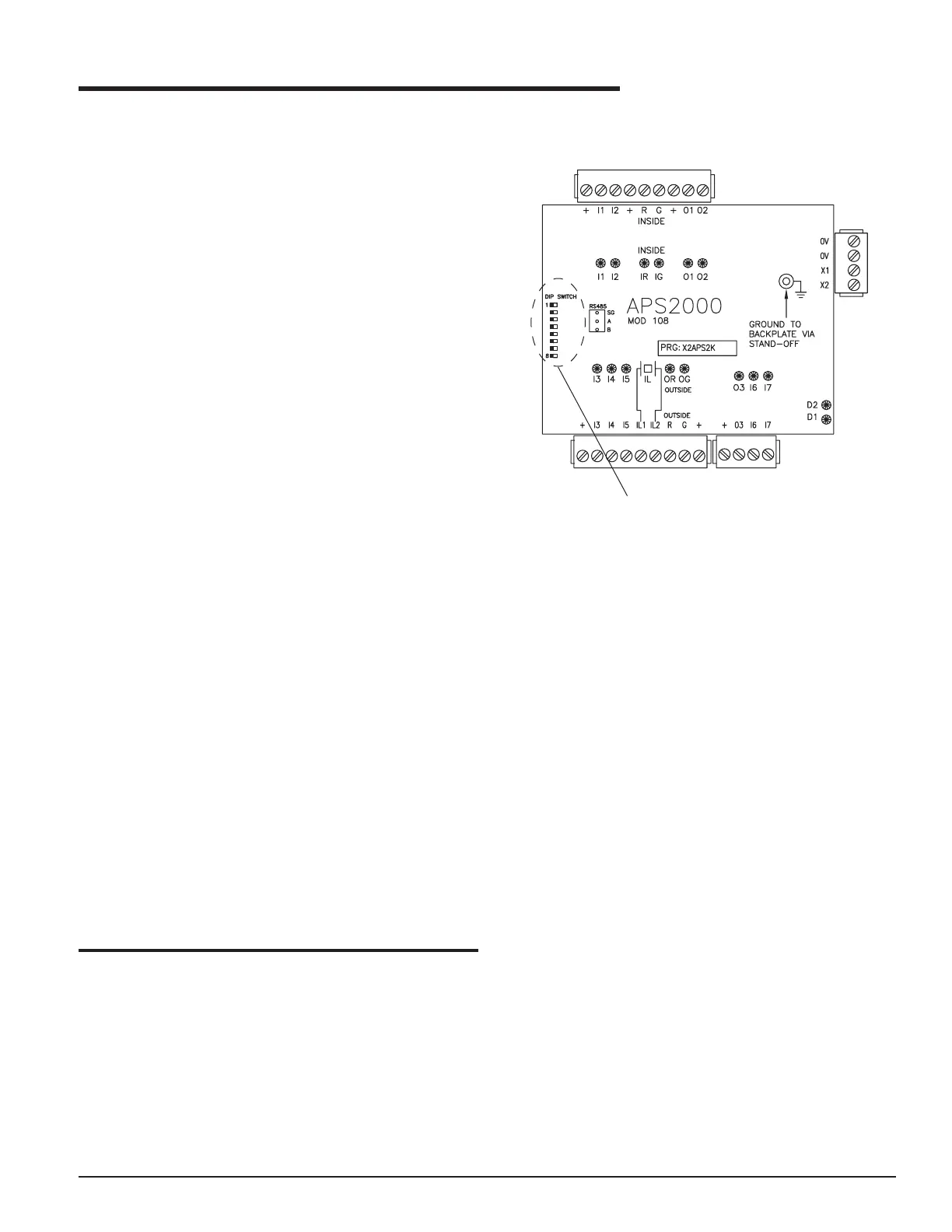
The APS 2000 control board has three optional features
that can be selected by adjusting the DIP switch settings
on the APS 2000 control board. See Figure 12 for the DIP
switch setting location.
For the DIP switch setting to take effect, the service tech-
nician must disconnect power to the APS 2000 control
panel prior to adjusting the DIP switch setting. Then re-
apply power to the control panel after making the setting.
OPERATION
FIGURE 12
DIP SWITCH
SETTING LOCATION
OPTIONAL OPERATIONAL FEATURES


 To Next Page