Advanced Printing Systems
SS205-V4+ LV - Technical Manual - Rev B Page 11
3.9. Operating Precautions
1. When performing continuous printing, the supply energy should be reduced so that the
substrate temperature, monitored through the thermistor, will remain below 70°C.
2. All strobes signals must be disabled during the power and logic voltage on/off sequence.
3. During assembly, printer must be manipulated in ESD protected environment. Do not touch
the connector pins with naked hands.
4. The print-head substrate surface is coated with glass, for this reason, mechanical stresses,
shocks, dust and scratches should be avoided to prevent damage.
5. When the print-head operation is completed, print supply voltage (including the charged
voltage with capacitor) should be reduced to the ground level and maintained until next
print-head operation.
6. Avoid condensation or water projection, if this occurs, do not switch on the print-head power,
until condensation or water drops have disappeared.
7. When plugging in and out of the FPC, avoid using excess force as damage may result (Plug
in-out cycle for this FPC should not exceeded 20 times). Do not pick up the mechanism by the
FPC.
8. Always turn printer off before connection or disconnection of FPC.
9. Print quality would become degraded if paper or ink residue were stuck on the heat element
area. In this case, clean the print-head with a soft applicator and alcohol. Do not use sandpaper as
this will destroy the heating elements. For same reasons, avoid using printer in dusty
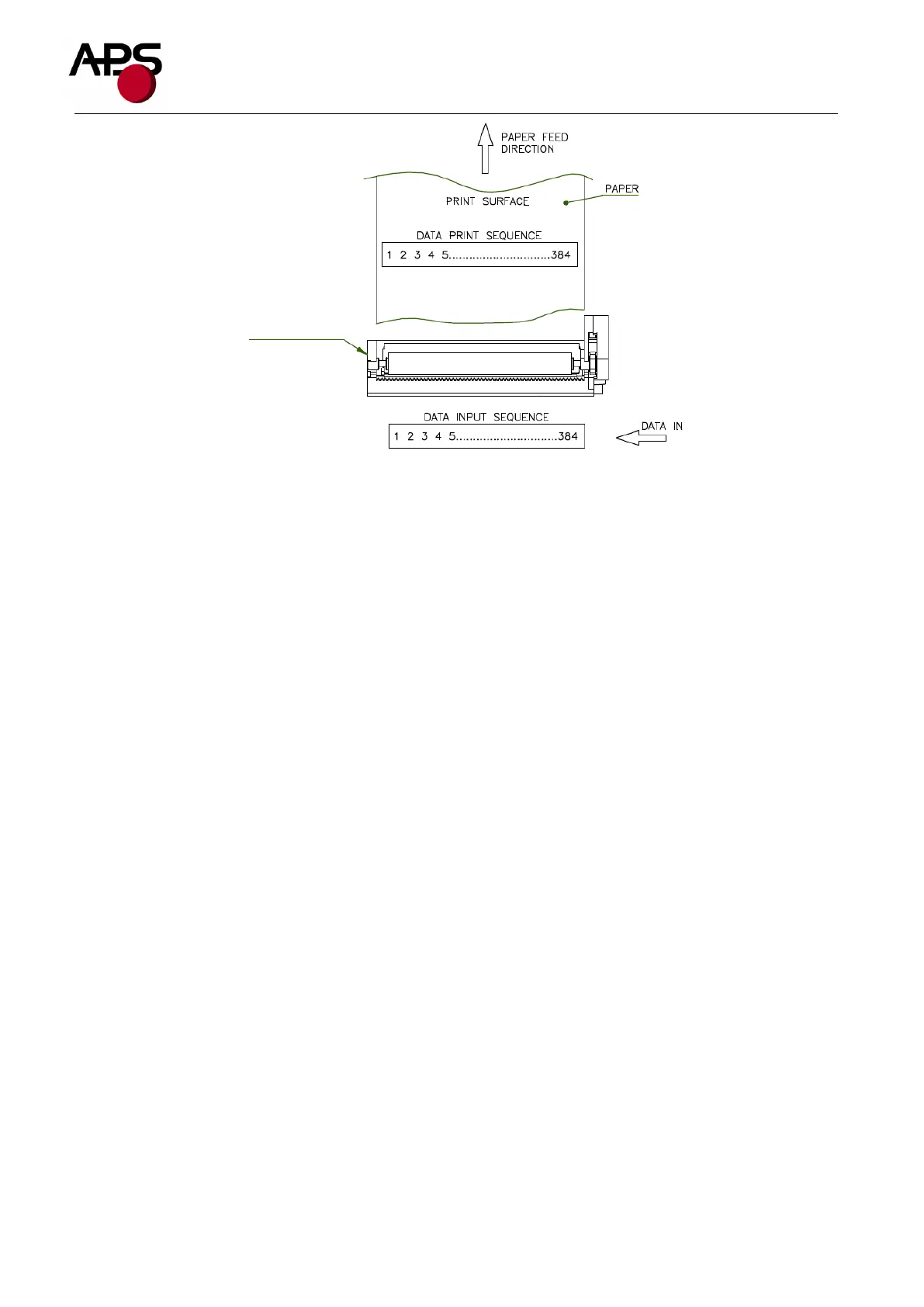
SS205-V4-LV
Printer Mech.
(Top View)


 To Next Page