2 call +1-877-322-7693
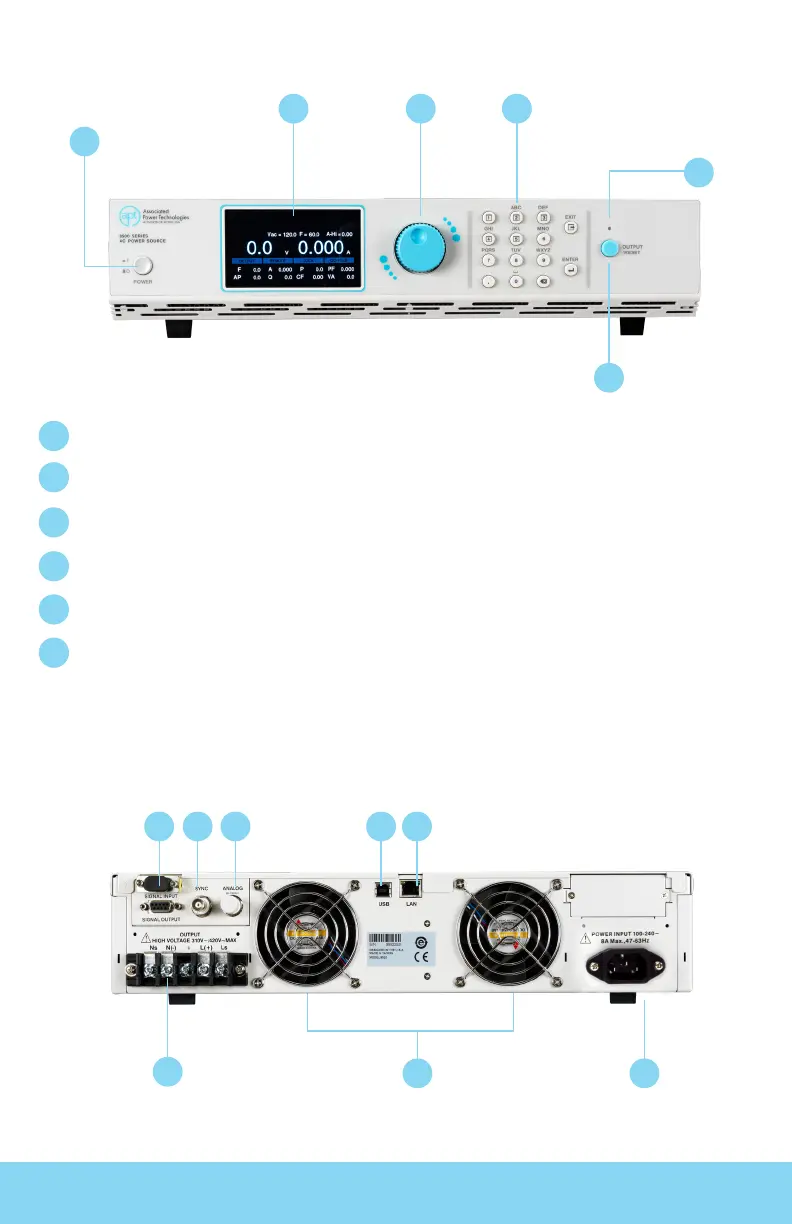
Power Switch - Power switch to power the source ON ( | ) and OFF (0).
Graphic Display - 480 x 272 TFT LCD.
Rotary Knob - Multifunctional rotary knob.
Number Keypad - Numeric and multifunctional keys.
Output Button - This button is used for starting and resetting a test.
Output Active LED Indicator - This LED will illuminate whenever the output of the source is active.
FRONT PANEL CONTROLS
BACK PANEL CONTROLS
6
1
1 7
2
2 3
8
4 5 6
3 4
5
1
2
3
4
5
6
Front Panel
8505 Back Panel



 To Next Page