EasyManua.ls Logo

APT VEYRON IV 3.2KW - User Manual

APT VEYRON IV 3.2KW
67 pages
Print Icon
To Next Page IconTo Next Page
Loading...
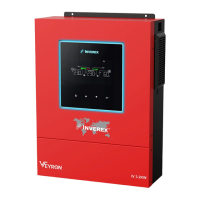
VEYRON IV 3.2KW
SOLAR INVERTER / CHARGER
Version: 1.0
User Manual

Questions and Answers

  • R
    Rebecca FarmerAug 11, 2025
    Why is my APT Inverter working in battery mode when mains are available?
    • D
      dgoodwinAug 11, 2025
      If your APT Inverter continues to operate in battery mode even when mains power is available, it could be due to a few reasons: * The input protector might be tripped. Check if the AC breaker is tripped and the AC wiring is properly connected. * The AC power quality might be insufficient, especially from shore power or a generator. Check if the AC wires are too thin or too long. If using a generator, ensure it's working correctly and that the input voltage range setting is correct for a UPS appliance. * The output source priority may be set incorrectly. Change the output source priority to Utility first.
  • D
    denisesullivanAug 17, 2025
    What to do if APT VEYRON IV 3.2KW Inverter has no response after power on?
    • A
      Angela StewartAug 17, 2025
      If your APT Inverter doesn't respond after you power it on, the issue might be: * The battery voltage is too low. Check if the batteries and wiring are well connected, and then try recharging or replacing the battery. * The battery polarity is reversed. Double-check the battery connections and wiring, then try recharging or replacing the battery.
  • J
    jordantrevorAug 23, 2025
    How to fix APT VEYRON IV 3.2KW that shuts down automatically during startup?
    • T
      traviscurtisAug 23, 2025
      If your APT Inverter shuts down automatically during the startup process, it's likely that the battery voltage is too low (less than 1.91V/Cell). Try to recharge the battery. If the problem persists, replace the battery.
  • L
    lorihernandezAug 29, 2025
    What causes the internal relay to switch on and off repeatedly on an APT VEYRON IV 3.2KW Inverter?
    • D
      Dana WhitakerAug 29, 2025
      If the internal relay of your APT Inverter switches on and off repeatedly when turned on, the battery may be disconnected. Ensure that the battery wires are securely connected.
  • J
    Jesse SmithNov 4, 2025
    What to do if the APT VEYRON IV 3.2KW Inverter buzzer beeps and the red LED is on?
    • N
      Nancy BoydNov 4, 2025
      If the APT Inverter's buzzer beeps continuously and the red LED is on, it could be due to several reasons: * The inverter might be overloaded (over 110%). Try reducing the load by switching off some equipment. * There could be a short circuit in the output. Check the wiring and remove any abnormal load. * The internal converter component might be overheating (over 120°C). Ensure the unit's airflow isn't blocked and the ambient temperature isn't too high. * The battery may be over-charged. In this case, return to the repair center. * The battery voltage may be too high. Check if the battery specifications and quantity meet the requirements. * There may be a fan fault. In this case, replace the fan. * The output may be abnormal (Inverter voltage below than 190Vac or is higher ...

Summary

About This Manual

Purpose

Describes assembly, installation, operation, and troubleshooting of the unit.

Scope

Provides safety and installation guidelines, tools, and wiring information.

Safety Instructions

Introduction

Features

Lists key features of the multi-function inverter.

Basic System Architecture

Describes the typical system configuration and components.

Installation

Unpacking and Inspection

Instructions for checking the inverter and its accessories after unpacking.

Preparation and Mounting

Covers preparation steps and guidelines for mounting the unit.

Battery Connection

AC Input;Output Connection

Suggested Cable Requirements

Specifies recommended cable gauge and torque value for AC wiring.

PV Connection

Connection Steps

Detailed steps for connecting PV modules, including voltage and polarity checks.

Recommended Panel Configuration

Guidelines for selecting PV modules and configuring the array.

Communication Connection

Serial and WiFi Connectivity

Details for connecting via serial cable and wirelessly via Wi-Fi.

Operation

Power Controls and Display Panel

Explains power on/off and the operation and display panel functions.

LCD Setting

General Setting and Navigation

How to enter and navigate the LCD setting menu.

Priority Configuration

Configure load power source and charger source priorities.

Battery and System Parameter Settings

Details battery type, charging parameters, equalization, and other system settings.

Function Setting

USB Functions and Timer Settings

Details on USB functions and timer settings for output/charger priority.

LCD Display Information

Selectable Information Display

Explains how various information is displayed on the LCD screen.

Operating Modes

Mode Descriptions (Standby, Line, Battery)

Describes the different operating modes of the inverter.

Faults Reference Code

Fault Code Descriptions

List and explanation of various fault codes encountered by the inverter.

Warning Indicator

Warning Code Descriptions

List and explanation of various warning codes and their indicators.

Clearance and Maintenance for Anti-Dust Kit

Overview and Steps

Introduction to the anti-dusk kit and steps for its cleaning and maintenance.

Battery Equalization

Applying and Performing Equalization

Steps to enable, apply, and perform battery equalization.

Specifications

Mode-Specific Specifications

Technical specifications for Line, Inverter, and Charge modes.

General Specifications

Lists general technical specifications of the inverter.

Trouble Shooting

Common Issues and Solutions

Provides solutions for common startup, operation, and alarm issues.

Appendix I: BMS Communication Installation

Introduction and Configuration

Introduction to BMS communication and configuration steps for lithium batteries.

Installation and Operation

Steps for installing and operating BMS communication.

Appendix II: Wi-Fi Operation Guide

WatchPower App Usage

Guide to downloading, installing, and setting up the WatchPower mobile app.

Wi-Fi Module Installation and Parallel Configuration

Steps for Wi-Fi module installation and lithium battery parallel system configuration.

APT VEYRON IV 3.2KW Specifications

General IconGeneral
BrandAPT
ModelVEYRON IV 3.2KW
CategoryInverter
LanguageEnglish

Related product manuals