Need help?
Do you have a question about the APT VEYRON E 8KW and is the answer not in the manual?
Details the manual's purpose and scope for users.
Provides critical safety warnings and precautions for inverter operation.
Lists key features and capabilities of the solar inverter/charger.
Illustrates the typical system setup with the inverter.
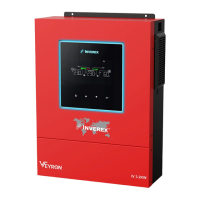
Identifies the main components and ports of the inverter unit.
Guides on checking the inverter and its accessories upon arrival.
Covers pre-installation checks and procedures for mounting the unit.
Details the correct procedure for connecting the battery to the inverter.
Explains how to connect AC power input and output to the inverter.
Outlines the steps for connecting PV modules to the inverter.
Covers final assembly steps and setting up communication interfaces.
Describes how to turn the unit on/off and navigate the display panel.
Explains the meaning of various icons and information shown on the LCD.
Details how battery status is displayed on the LCD.
Explains displays related to load priority and charger source priority.
Covers general settings accessible via the LCD panel.
Explains specific program settings for configuring inverter functions.
Introduces functions like USB OTG and timer settings.
Details procedures for USB function and timer settings.
Describes different operational modes of the inverter.
Explains inverter behavior and functions when operating in line mode.
Explains inverter behavior and functions when operating in battery mode.
Lists fault codes and their corresponding events.
Lists warning codes, audible alarms, and icon indications.
Provides instructions for cleaning and maintaining the anti-dust kit.
Explains the battery equalization process and its application.
Details electrical and operational specifications of the inverter.
Lists common issues, their causes, and recommended solutions.
Details parallel operation setup, wiring, and configurations.
Guides on installing BMS communication for lithium batteries.
Explains how to use the Wi-Fi module and WatchPower APP for remote monitoring.
 General
| Output Power | 8kW |
|---|---|
| Input Voltage | 48VDC |
| Output Voltage | 230VAC |
| Frequency | 50Hz / 60Hz |
| Protection | Overload, Short Circuit |


 To Next Page