70
Active Function
This function is to activate lithium battery automatically while commissioning. After battery wiring and
commissioning is successfully, if battery is not detected, the inverter will automatically activate battery if the
inverter is powered on.
4. LCD Display Information
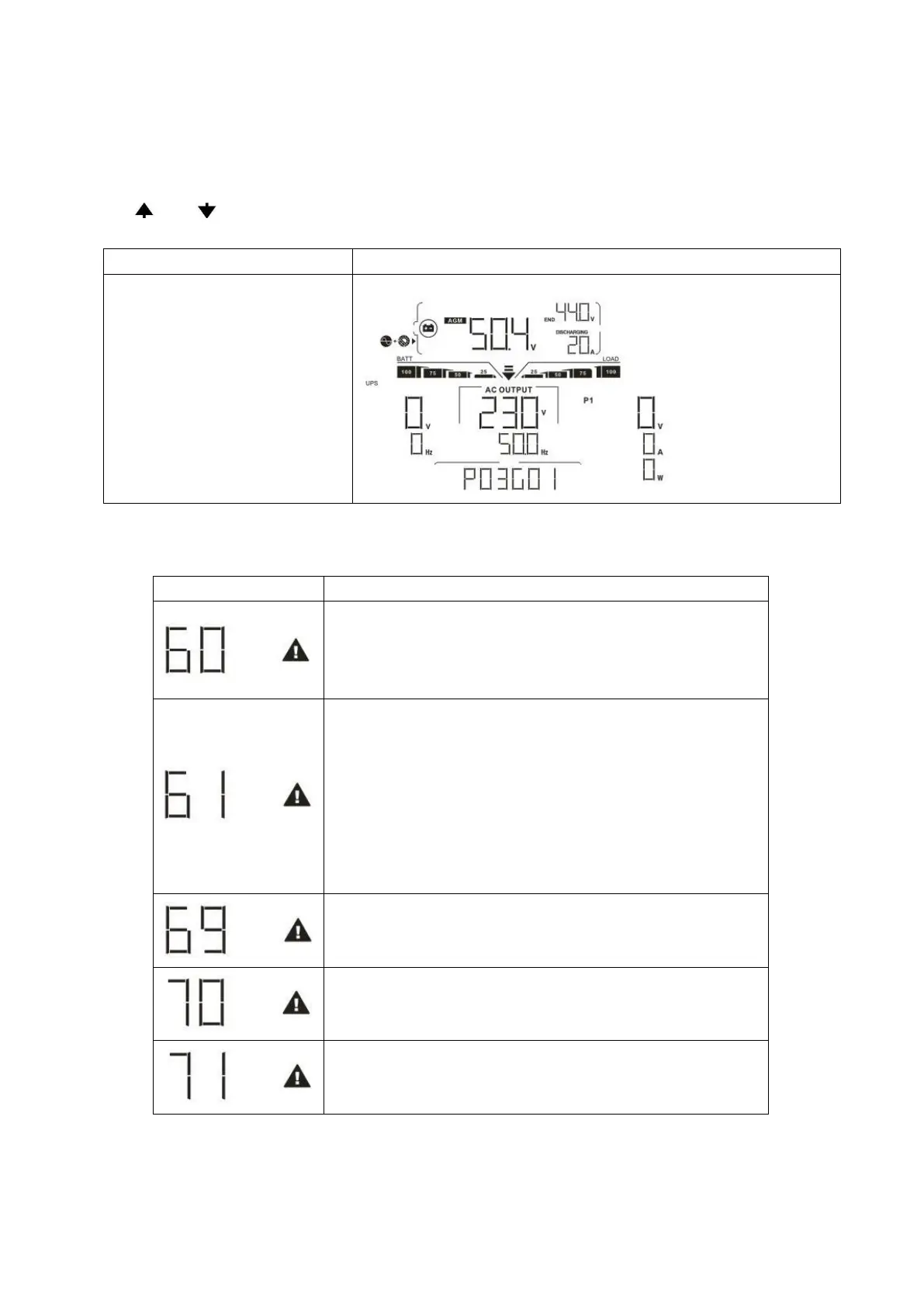
Press “ ” or “ ” button to switch LCD display information. It will show battery pack and battery group
number before “Main CPU version checking” as shown below.
Battery pack numbers & Battery
group numbers
Battery pack numbers = 3, battery group numbers = 1
5. Code Reference
Related information code will be displayed on LCD screen. Please check inverter LCD screen for the operation.
If battery status is not allowed to charge and discharge after
the communication between the inverter and battery is
successful, it will show code 60 to stop charging and
discharging battery.
Communication lost (only available when the battery type is not
setting as “AGM”, “Flooded”, “User-Defined” or “ISC”.)
After battery is connected, communication signal is not
detected for 3 minutes, buzzer will beep. After 10 minutes,
inverter will stop charging and discharging to lithium
battery.
Communication lost occurs after the inverter and battery
is connected successfully, buzzer beeps immediately.
If battery status is not allowed to charge after the
communication between the inverter and battery is successful,
it will show code 69 to stop charging battery.
If battery status must to be charged after the communication
between the inverter and battery is successful, it will show code
70 to charge battery.
If battery status is not allowed to discharge after the
communication between the inverter and battery is successful,
it will show code 71 to stop discharging battery.



 To Next Page