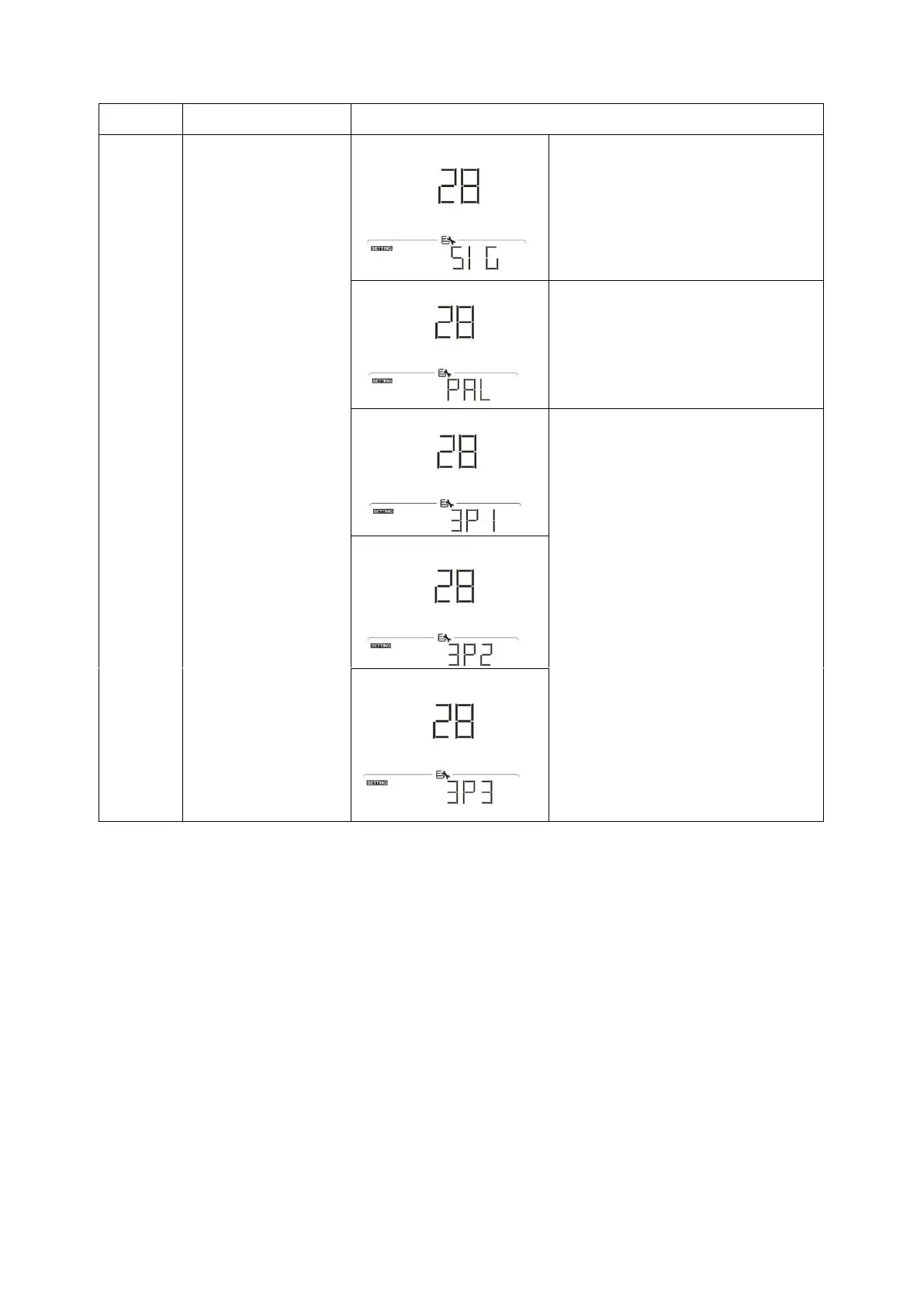
When the unit is operated alone,
please select “SIG” in program 28.
When the units are used in parallel
for single phase application, please
select “PAL” in program 28. Please
refer to 4-1 for detailed information.
When the units are operated in 3-
phase application, please choose
“3PX” to define each inverter.
It is required to have at least 3
inverters or maximum 6 inverters to
support three-phase equipment. It’s
required to have at least one inverter
in each phase or it’s up to four
inverters in one phase. Please refers
to 4-2 for detailed information.
Please select “3P1” in program 28 for
the inverters connected to L1 phase,
“3P2” in program 28 for the inverters
connected to L2 phase and “3P3” in
program 28 for the inverters
connected to L3 phase.
Be sure to connect share current
cable to units which are on the same
phase.
Do NOT connect share current cable
between units on different phases.



 To Next Page