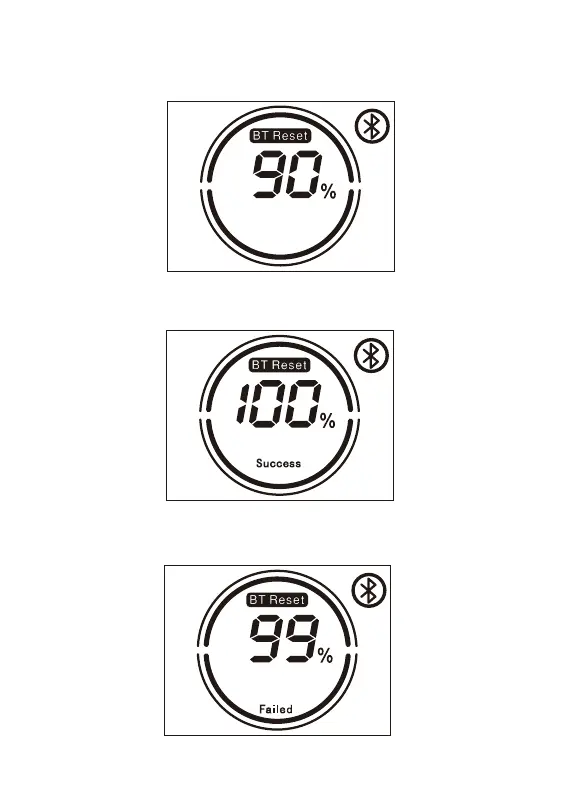
4. Reset Bluetooth
4.1 Long press the Bluetooth Reset button to reset bluetooth.
4.2 During the Reset process, the LCD displays BT Reset and the Bluetooth icon is flashing, and
the percentage shows the current Reset progress (1%-50%-100%).
-10-
4.4 If the Bluetooth reset is unsuccessful, the LCD will display [Failed] and disappear after 2 seconds.
4.3 The LCD will display [Success] 2 seconds after the Bluetooth reset is successful.











 To Next Page