
 Need help?
Do you have a question about the Aputure amaran T4c and is the answer not in the manual?
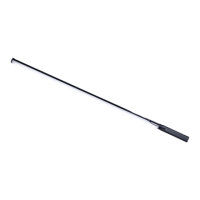
Introduction to the amaran T4c LED photography light fixture.
Essential guidelines for safe operation, handling, and maintenance of the light.
Reminder to keep the product manual for future reference.
Details on compliance with FCC rules for radio frequency emissions.
List of all items provided with the amaran T4c light fixture.
Specific features and connection points of the amaran T4c light.
Features and connection points of the amaran T4c battery grip.
Instructions for horizontally or vertically mounting the light using a tripod.
Methods for attaching the light using 3/8 screws at ends or back.
Connecting the light to AC power using the adapter and cable.
Connecting the light to DC power via the battery handle.
Procedure to detach the battery grip from the light fixture.
Steps to check battery and power on the amaran T4c light.
Overview of manual control interface and different operational modes.
Adjusting brightness, color temperature, gels, and special effects.
Configuring DMX channels, frequency, and battery options.
Settings for screen timeout and Bluetooth reset.
Managing language, resetting to defaults, and viewing product details.
Connecting the light fixture to DMX adapters and controllers.
Diagram explaining the DMX interface pinout for data transmission.
How to match the light's DMX channel with the controller for operation.
Guide to downloading and using the Sidus Link app for enhanced control.
Key technical data including CCT, CRI, power, voltage, and operating conditions.
Measured light output (lux/fc) at various distances and color temperatures.
Information about registered trademarks related to the product.
 General
| Brand | Aputure |
|---|---|
| Model | amaran T4c |
| Category | Lighting Equipment |
| Language | English |











 To Next Page