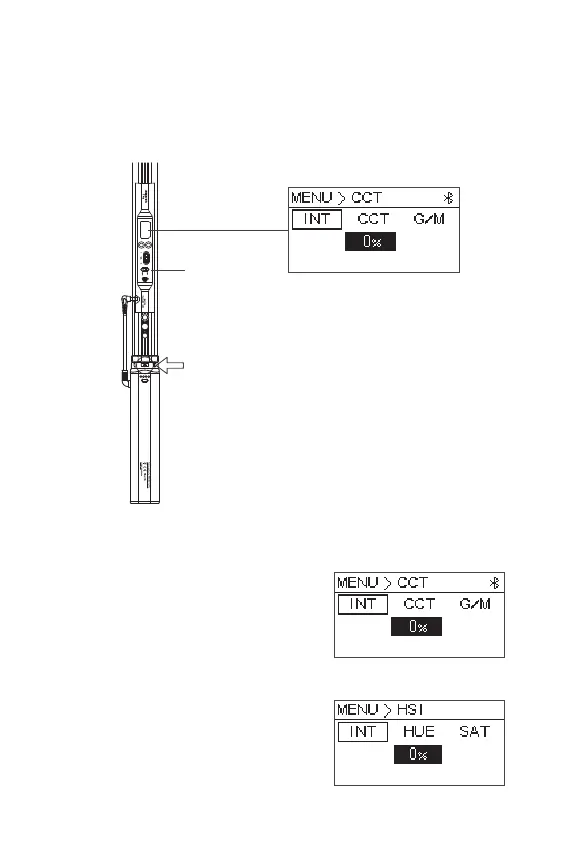
Operate
- 8 -
1. Turning on the Light
2. Manual Control
2.1 CCT mode: press the knob to enter CCT
mode, then rotate the knob to select color
temperature, brightness, G/M adjustment.
Press the knob enter the submenu to adjust
the parameters.
2.2 HSI mode: press the knob to enter HSI
mode, then rotate the knob to select Hue,
Saturation, Brightness adjustment. Press
the knob then enter the submenu to adjust
the parameters.
Battery grip release button
Switch
Press the battery handle power indicator button to check the remaining battery,
and then turn on the light.













 To Next Page