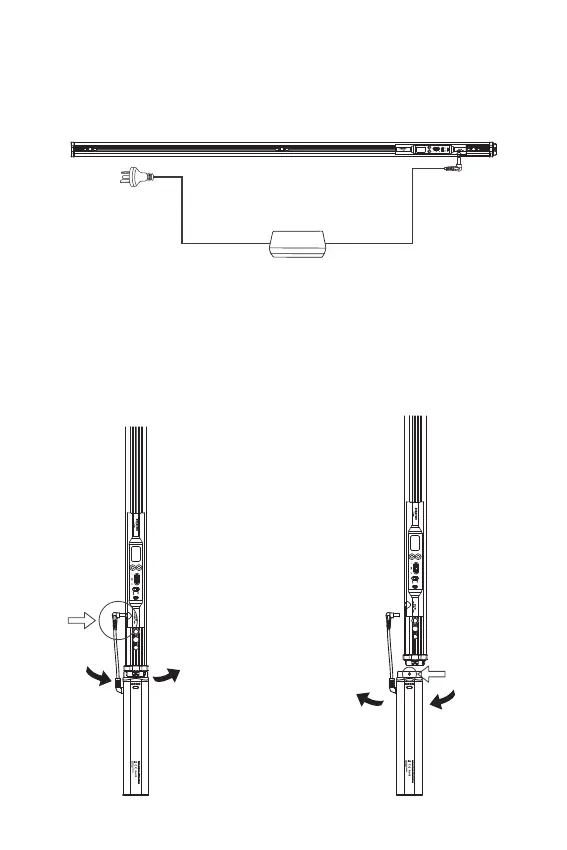
3. Remove the battery handle
Powering up the Light
- 7 -
1. Powered by AC
2. Powered by DC
Install the battery handle and lamp in the
direction shown in the figure, rotate and
fasten through the quick-release locking
mechanism, then connect the DC output
wire of the battery handle and the power
supply ports of the lamps.
After pressing the release button of
the battery handle,Rotate and
disassemble in the direction shown
in the figure.
Battery Grip
Release button












 To Next Page