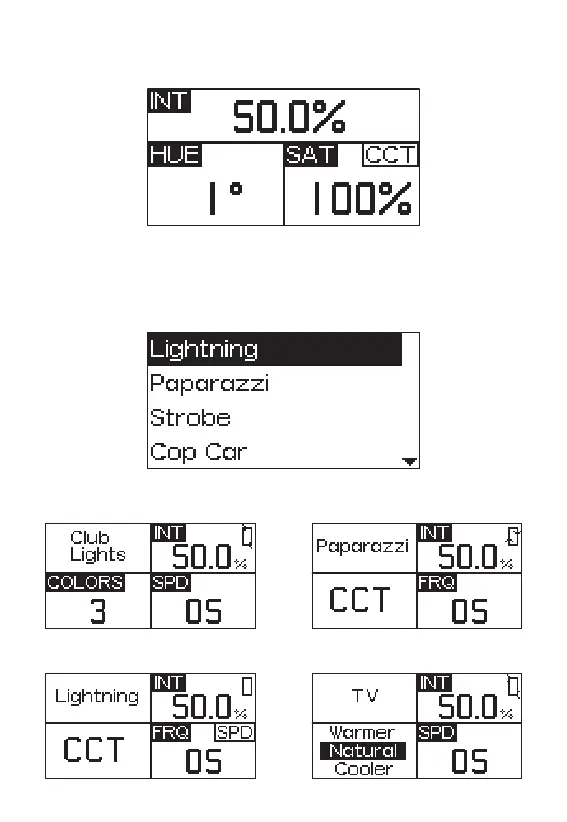
2.2.2 Press the INT wheel to select HSI mode to adjust the change of the HUE from
1°~360°.
2.2.3 Short press the INT wheel to select FX mode, then rotate the INT wheel to
toggle between Club Lights, Paparazzi, Lightning, TV, Candle, Fire, Strobe, Explosion,
Fault Bulb, Pulsing, Welding, Cop Car, Color Chase, Party Lights, Fireworks, Color Fade,
Color cycle, Color Gradient, One Color Chase.
1. Club Lights
2. Paparazzi
3. Lightning
4. TV
- 10 -










 To Next Page