
 Need help?
Do you have a question about the Aputure Light Storm and is the answer not in the manual?
Essential safety precautions to follow during the operation and handling of the lighting fixture.
Instruction to retain the manual for future reference and safety.
Declaration of conformity with FCC rules for device operation.
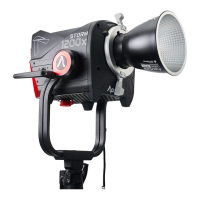
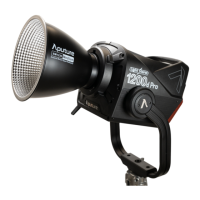
Detailed illustration and listing of all included accessories with the lighting fixture.
Steps to attach the Bowens Mount Adapter to the fixture for accessory mounting.
Steps to attach the Barn Doors to the fixture for light control.
Procedure for mounting the battery case onto the fixture.
Procedure for connecting the power adapter to the fixture.
Connecting the fixture to a wall outlet using the AC power adapter.
Powering the fixture using a single battery, specifying voltage and discharge requirements.
Powering the fixture using two batteries, specifying voltage and discharge requirements.
Connecting and using V-mount batteries, including compatibility and voltage warnings.
Adjusting light intensity using the physical control knob on the fixture.
Setting and adjusting the Color Correlated Temperature and brightness.
Utilizing various built-in lighting effect modes like Paparazzi, Fireworks, and Lightning.
Choosing between linear, logarithmic, or S-curve dimming response.
Enabling automatic power-on when the fixture receives power.
Resetting the fixture's Bluetooth connection to resolve pairing issues.
Changing the operational language displayed on the fixture.
Viewing the current firmware version installed on the device.
Performing Over-The-Air updates via the Sidus Link mobile application.
Adjusting the beam angle from spot to flood using the focusing knob.
Connecting and controlling the fixture wirelessly using the dedicated mobile app.
Visual data showing light output intensity at various distances and angles.
Details for filling out the product warranty and guarantee information.
Links to download product manuals and optimized software versions.
 General
| Model | Light Storm |
|---|---|
| Type | LED Light |
| CRI | ≥95 |
| Dimming | 0-100% |
| Control | DMX |
| Power Supply | AC/DC |
| Mount | Bowens Mount |










 To Next Page