EasyManua.ls Logo

Aputure Light Storm LS 600d - User Manual

Aputure Light Storm LS 600d
21 pages
Print Icon
To Next Page IconTo Next Page
Loading...
Product Manual
English
LS 600d
Question and Answer IconNeed help?

Do you have a question about the Aputure Light Storm LS 600d and is the answer not in the manual?

Summary

Important Safety Instructions

General Safety Precautions

Basic safety precautions to follow when using the unit, including handling and electrical safety.

FCC Compliance Statement

Components List

Product Details

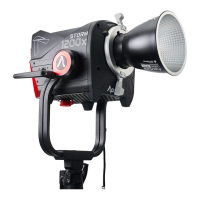
Lamp Head Overview

Details and components of the LS 600d Lamp Head, including Bowens Mount and connectors.

Control Box Overview

Details and components of the LS 600d Control Box, including display, buttons, and ports.

Setting Up the Light

Protection Cover Installation

Instructions for attaching and detaching the protective cover on the lamp head.

Hyper-Reflector Installation

Instructions for attaching and detaching the 600 Series Hyper Reflector.

Lamp Head Mounting

Steps for mounting the lamp head onto light stands using different pin types.

Lightning Clamp Operation

Instructions for clamping the lightning clamp and attaching the control box.

Connecting Lamp Head to Control Box

How to connect the lamp head and control box using the 5-Pin Head Cable.

Powering Up the Controller

AC Power Connection

Instructions for powering the controller using an AC power source.

Battery Power Connection

Instructions for powering the controller using V-Mount or Anton Bauer batteries.

Operations

Power Button Operation

How to turn the light on and off using the power button.

Manual Control Interface

Adjusting brightness, DMX settings, dimming curves, fan mode, studio mode, and system configurations.

DMX Mode Settings

Configuring DMX address, profile, and loss behavior for lighting control.

Dimming Curve Selection

Choosing between exponential, logarithmic, S-curve, and linear dimming curves.

Fan Mode Configuration

Selecting fan modes: Smart, High, Medium, or Silent for optimal cooling.

Studio Mode Operation

Enabling Studio Mode for instant light turn-on upon power reception.

Frequency Selection

Adjusting the light frequency in 100Hz increments for flicker-free operation.

Bluetooth Settings

Resetting Bluetooth connection and viewing the Bluetooth serial number.

Language and Update Options

Selecting the display language and updating device firmware.

Firmware and UID Information

Checking firmware versions for lamp head/control box and viewing the fixture UID.

Factory Reset Procedure

Restoring the light to its original factory default settings.

Effects Control

Managing Paparazzi, Fireworks, Faulty Bulb, Lightning, TV, Pulsing, Strobe, and Explosion effects.

Effect Navigation

Using the Lighting and Effects buttons for menu navigation and effect control.

Connecting to DMX

DMX Controller Connection

Connecting a DMX controller to a single or multiple lights (daisy-chaining).

Channel Selection

Matching the DMX controller channel with the light's channel for control.

DMX Chart and App Usage

DMX Mode Chart

Overview of DMX profiles, channels, and functions for lighting control.

Sidus Link App Integration

Downloading and using the Sidus Link app for enhanced light functionality.

Specifications

Service Warranty

Overview

The Aputure Light Storm 600d is a powerful and feature-packed LED lighting fixture designed for professional use. It incorporates pre-existing Light Storm features such as Bowens Mount modularity, wireless remote and app control, DMX 512, and a DC battery input, offering versatility and convenience for various lighting scenarios.

Function Description:

The LS 600d serves as a high-intensity LED light source, capable of producing bright, daylight-balanced illumination. It is designed for use in film, television, and photography productions, providing precise control over light intensity and various effects. The fixture can be powered by either AC mains or compatible V-mount or Anton Bauer batteries, making it suitable for both studio and on-location shoots. Its modular design allows for the attachment of various light modifiers via the Bowens Mount, enhancing its adaptability to different lighting needs.

Important Technical Specifications:

  • Operating Current: 8 A
  • Power Supply: 100 V ~ 240 V, 50 Hz / 60 Hz
  • Power Input: ≤ 720 W
  • Power Output: ≤ 600 W
  • CRI: ≥ 96
  • TLCI: ≥ 96
  • CQS: ≥ 94
  • SSI (D56): 72
  • Channels: 1/2/3
  • Groups: A/B/C/D
  • CCT: 5600±200K
  • Waterproof Grade: N/A
  • Battery Requirement:
    • 14.4 V-15 A ≥ 180 Wh
    • 26 V-8.5 A ≥ 180 Wh
    • 28.8 V-7.5 A ≥ 180 Wh
  • Cooling Mode: Active Cooling
  • Remote Ability: < 100 metres
  • APP Control Type: Bluetooth
  • Lamp Head Dimensions (w/o Yoke): 30.8 x 15.61 x 15.01 cm / 12.13 x 6.15 x 5.91 in
  • Lamp Head Dimensions (w/ Yoke): 30.8 x 25.03 x 45.6 cm / 12.13 x 9.85 x 17.95 in
  • Controller Box Dimensions (Anton Bauer/V-Mount): 15.37 x 9.0 x 28.20 cm / 6.02 x 3.54 x 11.10 in
  • Lightning Clamp Weight: 670g / 1.48lbs
  • Lightning Clamp Sizes (LWH): 10.35x8.74x12.5cm / 4.07x3.44x4.92in (clamps onto square or round pipe with a diameter between 2-5cm or 0.79-1.97in)

Photometrics (with Hyper Reflector):

  • 1m: 98500 lux / 9150 fc
  • 3m: 8500 lux / 790 fc
  • 5m: 3000 lux / 280 fc

Usage Features:

  • Bowens Mount: Allows for quick attachment and detachment of various light modifiers, including the included 600 Series Hyper Reflector.
  • Control Box: Features an OLED display for clear information, dedicated buttons for frequency, intensity, effects, and trigger, and a brightness knob with MENU functionality. It also includes a paracord strap plate, floor stand, USB port, lightning clamp quick-release plate, battery plates (Anton Bauer or V-mount options), DMX IN/OUT ports, Neutrik® powerCON Power Input, and a 48V DC Input (3-Pin XLR).
  • Manual Control:
    • Intensity Adjustment: Rotate the knob to adjust light intensity from 0-100% in 1% increments, with speed-sensitive adjustment.
    • System Menu: Access DMX Mode, Dimming Curves, Fan Mode, Studio Mode, Freq. Selection, BT Reset, BT Serial NO, Language, Update Firmware Version, UID, and Factory Reset.
    • DMX Mode: Set DMX Address, DMX Profile (Lighting 8bit, FX 8bit, Lighting&FX 8bit), and DMX Loss Behavior (Black out, Fade to Black, Hold last setting, Hold 2 min& Fade Out). DMX Address can be locked to prevent accidental changes.
    • Dimming Curves: Select from Exponential (Exp), Logarithmic (Log), S-Curve, or Linear dimming curves.
    • Fan Mode: Choose between Smart, High, Medium, or Silent fan modes.
    • Studio Mode: Toggle ON/OFF. When ON, the light turns on automatically upon receiving power. When OFF, the power button must be pressed.
    • Frequency Selection: Adjust light frequency by 100Hz increments.
    • BT Reset: Reset Bluetooth pairing to connect with the Sidus Link App.
    • Language: Select between English and Simplified Chinese.
    • Firmware Update: Update firmware via USB drive (FAT16/32) or OTA via Sidus Link App.
    • Factory Reset: Resets settings to default (fan smart mode, 50% brightness, studio mode off, linear dimming curve, DMX channel 001, English, fireworks effect frequency 5).
  • Effects Mode: Access various lighting effects by pressing and holding the EFFECTS button for 2 seconds. Short press to select effects:
    • Paparazzi
    • Fireworks
    • Faulty Bulb
    • Lightning (short press to trigger, long press for cycle mode)
    • TV
    • Pulsing
    • Strobe
    • Explosion (short press to trigger)
  • DMX Connectivity: Connect to a standard DMX controller for advanced control. Supports daisy chaining multiple lights. DMX channels range from 1 to 512, with a default of "001". Each light can be offset by 5 channels for independent control.
  • Sidus Link App: Control the light remotely via Bluetooth using the Sidus Link app (available on iOS App Store and Google Play Store), offering enhanced functionality.

Maintenance Features:

  • Safety Precautions:
    • Always read and understand instructions before use.
    • Supervise children near the fixture.
    • Avoid touching hot surfaces.
    • Do not operate with damaged cords or if the fixture has been dropped, until inspected by qualified personnel.
    • Position power cables to prevent tripping or contact with hot surfaces.
    • Use extension cords with appropriate amperage ratings.
    • Unplug before cleaning or servicing.
    • Do not immerse in water or other liquids.
    • Do not disassemble; contact Aputure support or qualified service personnel for repairs.
    • Use only manufacturer-recommended accessories.
    • Power with a grounded outlet.
    • Remove protective covers before powering on or using the reflector.
    • Do not block ventilation or look directly at the light when powered on.
    • Keep away from flammable objects.
  • Cleaning: Use only a dry microfiber cloth to clean the product.
  • Warranty: One-year warranty covering defects in material and workmanship. The warranty is void if the product identification/serial number label is removed or defaced, or if serviced by unauthorized personnel. Malfunctions caused by water damage to the lamp body are not covered.
  • Firmware Updates: Regular firmware updates can be performed via USB or the Sidus Link App to improve functionality and address issues.

Aputure Light Storm LS 600d Specifications

General IconGeneral
BrandAputure
ModelLight Storm LS 600d
CategoryLighting Equipment
LanguageEnglish

Related product manuals