
 Need help?
Do you have a question about the Aputure Light Storm LS 300x and is the answer not in the manual?
Expresses gratitude for purchasing the Aputure LS 300x and highlights its features.
Essential precautions to ensure safe operation and prevent hazards like electric shock or burns.
Details the device's compliance with FCC rules for radio frequency emissions.
Statement regarding the device's evaluation for RF exposure requirements.
Lists all included items to verify upon unboxing the product.
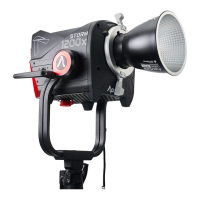
Detailed diagram and labels for the LS 300x light head and its key parts.
Detailed diagram and labels for the LS 300x controller box and its interfaces.
Diagram and labels for the wireless remote control, including its buttons and functions.
Instructions for attaching the cable relief hook to manage cables safely.
Steps for attaching, detaching, and using the protection cover and hyper-reflector.
Procedure for mounting the light onto a stand and adjusting its angle.
Instructions for using the quick-release clamp to mount the control box.
Guide on how to connect the light head to the controller box using the XLR cable.
Details on powering the controller using AC power or compatible batteries.
Steps for inserting the battery into the VA-Remote RC1+.
Procedure for using the power button to operate the light.
How to adjust the light's intensity using the control wheel.
How to adjust the light's color temperature using the CCT control wheel.
Overview and examples of built-in lighting effects like Paparazzi and Fireworks.
How to adjust intensity, frequency, and CCT within Lighting FX modes.
Switching between 2.4GHz remote, Bluetooth app, and no wireless control.
Accessing and navigating the main system menu interface.
Setting up the device to operate in DMX control mode.
Choosing between different dimming curve profiles (Exp, Log, S-Curve, Linear).
Configuring the cooling fan mode (Force or Auto).
Enabling Studio Mode for instant power-on functionality.
Steps to reset the Bluetooth pairing for wireless connectivity.
Procedures for updating the light's firmware via USB or OTA.
Setting channels and groups for controlling multiple lights with the remote.
Using the remote to control light brightness and color temperature.
Operating lighting effects using the remote control buttons.
Physical connection guide for integrating the light with a DMX system.
Understanding DMX ports, interface schematics, and selecting DMX channels.
Table detailing DMX channel values and their corresponding functions (Dimmer, CCT, FX).
Information on downloading and using the Sidus Link mobile application.
Key technical data including power, dimensions, and connectivity.
Light output measurements (lux/fc) at various distances and CCTs.
Information on the product's service warranty coverage and terms.
Conditions under which the product warranty may be voided or not apply.
List of registered trademarks associated with the product and its components.
 General
| Type | LED Light |
|---|---|
| Wattage | 300W |
| Color Temperature | 2700K - 6500K |
| CRI (Color Rendering Index) | ≥96 |
| Cooling Method | Active Cooling |
| Power Source | AC Power |
| Control | DMX512 |
| Operating Voltage | AC 100-240V |
| Dimming | 0-100% |










 To Next Page