-10-
2. Manual Control
2.1) DMX Mode
-
+
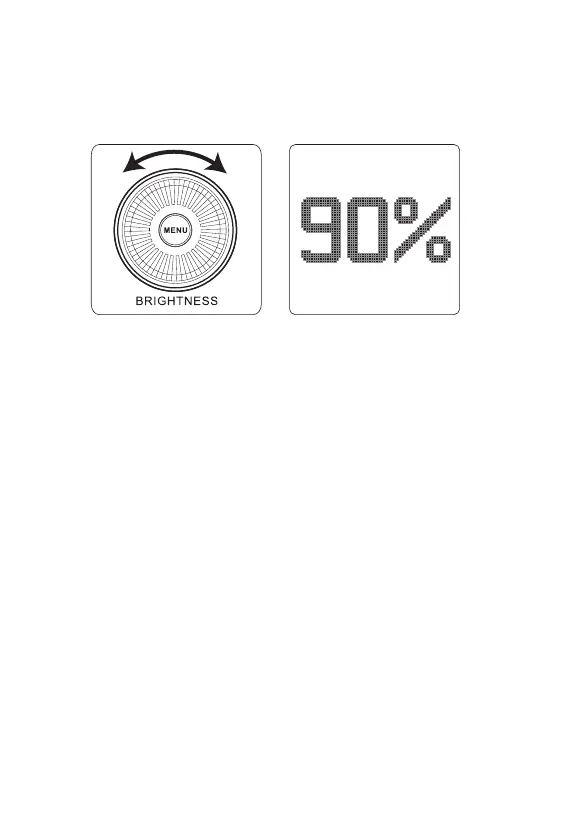
1) Rotate the Knob to adjust the intensity of the light from 0-100% in 1%
increments. The speed with which you turn the knob will change the rate
of increase or decrease.
2) Press the MENU button to enter the System Menu interface. In the System
Menu you'll find DMX Mode / Dimming Curves / Fan Mode / Studio Mode /
Freq.Selection / BT Reset / BT Serial NO / Language / Update Firmware
Version / UID / Factory Reset / Exit.
Press the MENU button to enter the system menu, rotate the Knob to
select DMX mode and press the MENU button again to enter DMX mode.
Rotate the Knob to Select DMX Address / DMX Profile / DMX Loss Behavior
/ Exit.
DMX Address: LS 600d will set to in DMX Address interface.
DMX Profile: Lighting 8bit / FX 8bit / Lighting& FX 8bit.
DMX Loss Behavior:
① Black out -when the DMX signal is lost, it will be Black out.
② Fade to Black -after DMX signal is lost, it will fade to Black in 60 seconds.
③ Hold last setting -After DMX signal is lost, remember the last control
setting.
④ Hold 2 min& Fade Out -After the DMX signal is lost, keep the last control
setting for two minutes, and then Fade to Black within 60 seconds.












 To Next Page