-11-
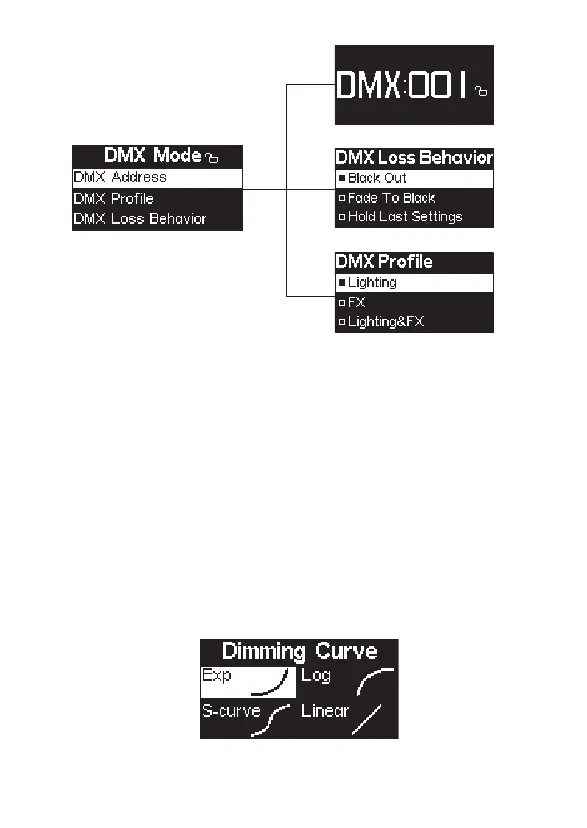
2.2) Dimming Curves
Press the MENU button to enter the system menu, rotate knob to select Dimming
Curve, and press the MENU button again to enter the dimming curve selection menu.
Using the knob to choose from exponential (Exp), logarithmic (Log), S-Curve, or linear
dimming curves, and press the MENU button to make your selection.
* The fade-out time decreases as the percentage of brightness decreases.
When the brightness output is 100%, the fade-out time is 60 seconds, which
decreases in sequence.
* If the signal is reconnected, the DMX console will continue to maintain the
signal output as same as before.
* Press and hold the MENU 2s to lock the DMX Address to prevent accidental
touch. In the locked state, cannot enter other interfaces other than the DMX
Mode, Press and hold 2s again to unlock












 To Next Page