-18-
6. Using the Sidus Link APP
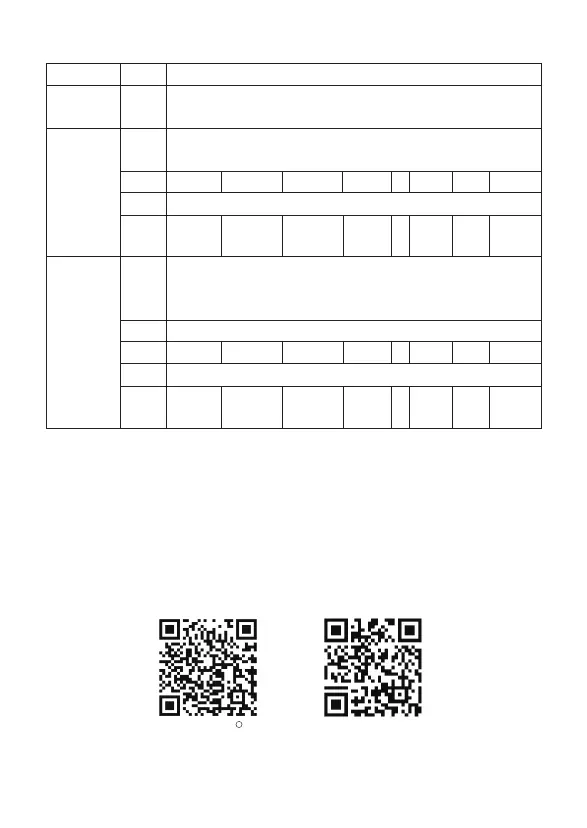
You can download the Sidus Link app from the iOS App Store or Google Play Store for
enhancing the functionality of the light. Please visit sidus.link/app/help for more details
regarding how to use the app to control your Aputure lights.
Sidus.link/app/help
Get Sidus Link
R
App
* In DMX mode, intensity, FX frequency and lighting effects can only be controlled by a DMX controller.
** When controlling multiple 600d lights independently (i.e., A and B), offset each light by 5 channels.
If you set light A at DMX 001, set light B at DMX 006, to control A and B separately on the DMX controller.
5. DMX Chart
INT: 0-100%
INT: 0-100%
1
1
2
3
4 / / /
/
/ / /
1
INT: 0-100%
2
Lighting<->EFFECTS: 0-100%
FRQ:1-10/R
3
4
5 / / / / /
Mode
Channels
Function
Paparazzi Fireworks Fault Bulb
FRQ:1-10/R
Lightning Pulsing Strobe Explosion
Explosion
Initial
value/
Trigger
Initial
value/
Trigger
StrobePulsing
TV
TV
Initial
value/
Trigger
/Loop
Initial
value/
Trigger
/Loop
LightningFault BulbFireworksPaparazzi
DMX Profile :
Lighting
DMX Profile :
FX
DMX Profile :
Lighting&FX












 To Next Page