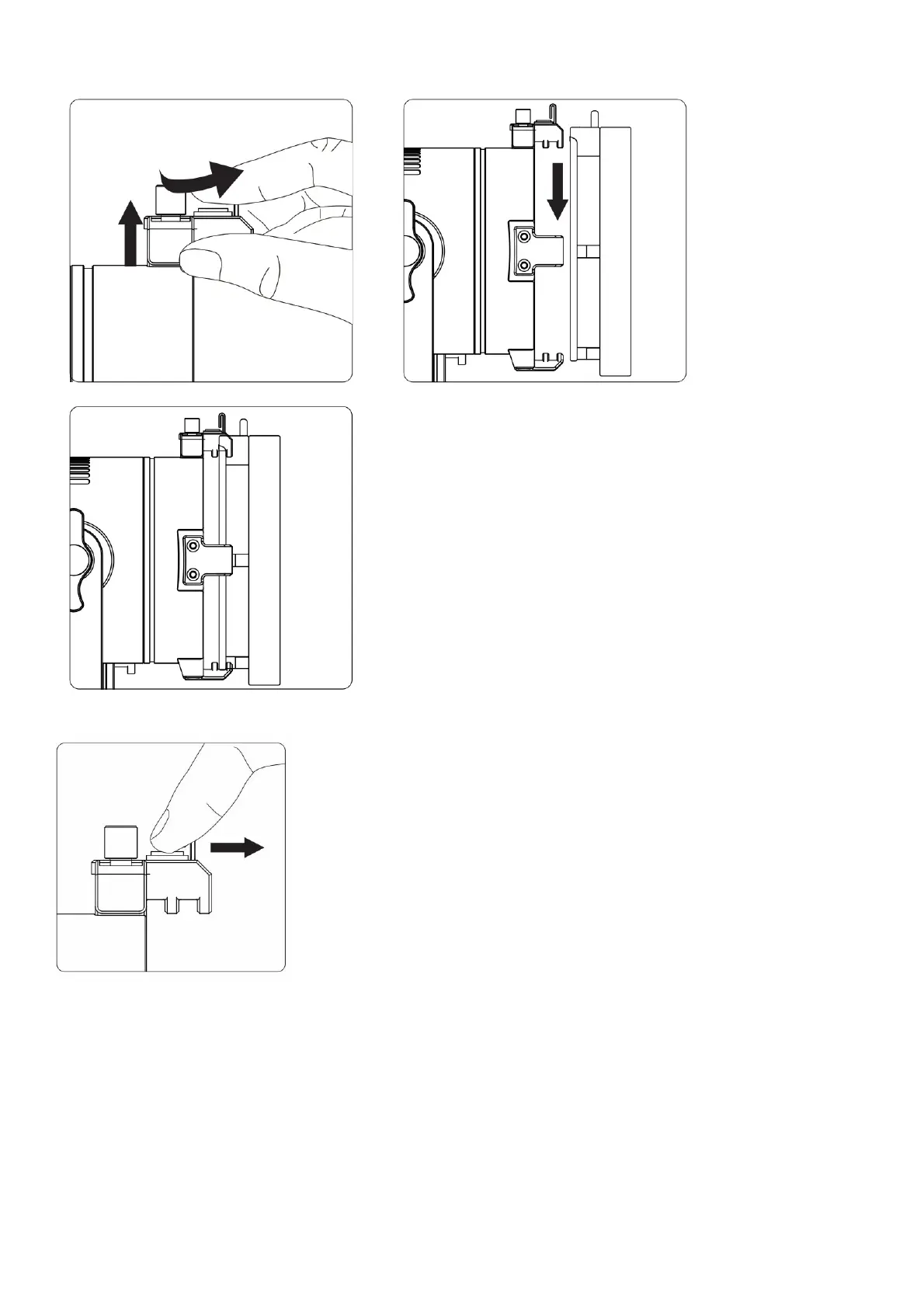
1. Install the Bowens Mount Adapter
Make sure the pick is pushed to the front of the claw before installation. Lift the claw directly above the lamp cap and rotate it 90° to the side, then point the Bowens Mount Adapter at the
other three slots on the lamp cap, place it into the slots from top to bottom, then lift the socket directly above and rotate it to the front.
Make sure the pick is pushed to the front of the claw before installation.
2. Install the Barn Doors
Make sure the pick is pushed to the front of the claw before installation. Lift the claw directly above the lamp cap and rotate it 90° to the side, then point the Barn Doors at the other three
slots on the lamp cap, place it into the slots from top to bottom, then lift the socket directly above and rotate it to the front.











 To Next Page