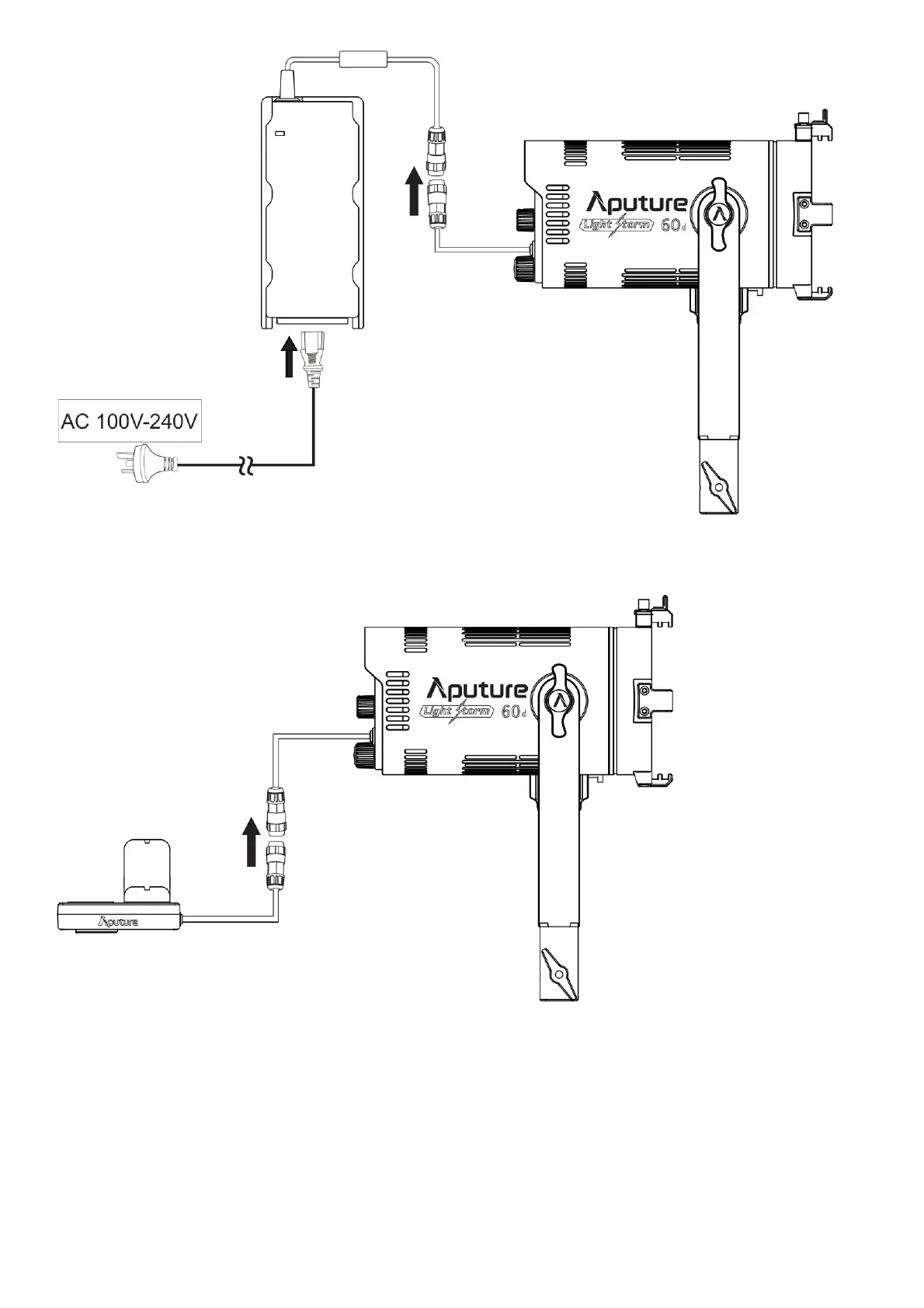
* Rotate the red rotary ring of the DC input connector clockwise, then pull out to remove the adapter
2. Battery powered
1) Single battery power supply
* When using a single battery for power supply, be sure to install the battery in the battery slot corresponding to the red key; When removing the battery, press the red lock button to pull out
the battery. Do not pull it out forcibly.
* Rotate the red rotary ring of the DC input connector clockwise and then pull it out to remove the battery case. Do not pull it out forcibly
* Single battery: Voltage 6~8.4V; Recommended ≥6.6A continuous discharge
2) Dual battery power supply











 To Next Page