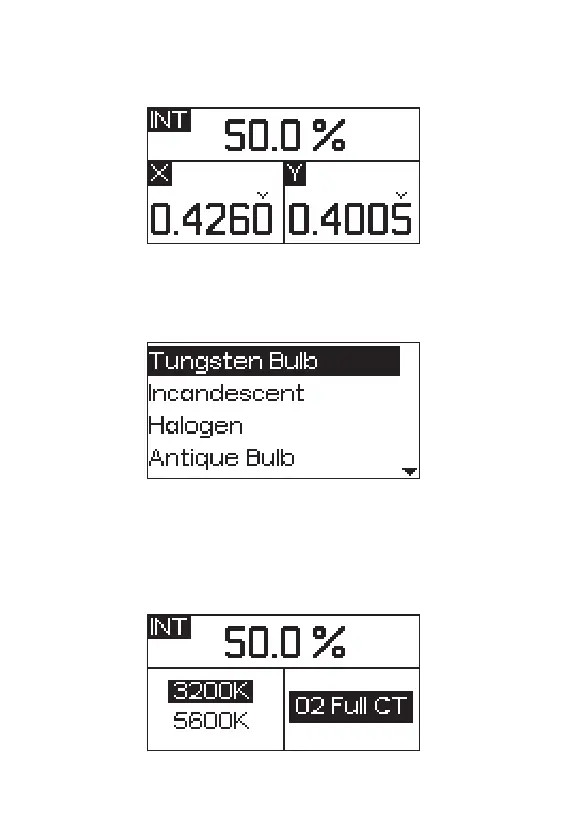
2.2.6 Short press the INT wheel to select X, Y color coordinate mode, press or rotate
the HUE wheel to change the figure of X and press the SAT wheel to change the
figure of Y.
2.2.7 Short press the INT wheel to select SOURCE mode, then rotate the INT wheel
to select appropriate source.
2.2.8 Short press the INT wheel to select GEL mode, then rotate the INT wheel to
adjust the brightness, rotate the INT wheel to choose 3200K/5600K and press G/M
wheel to enter the interface of GEL, rotate the G/M wheel to select the GEL.
- 13 -










 To Next Page