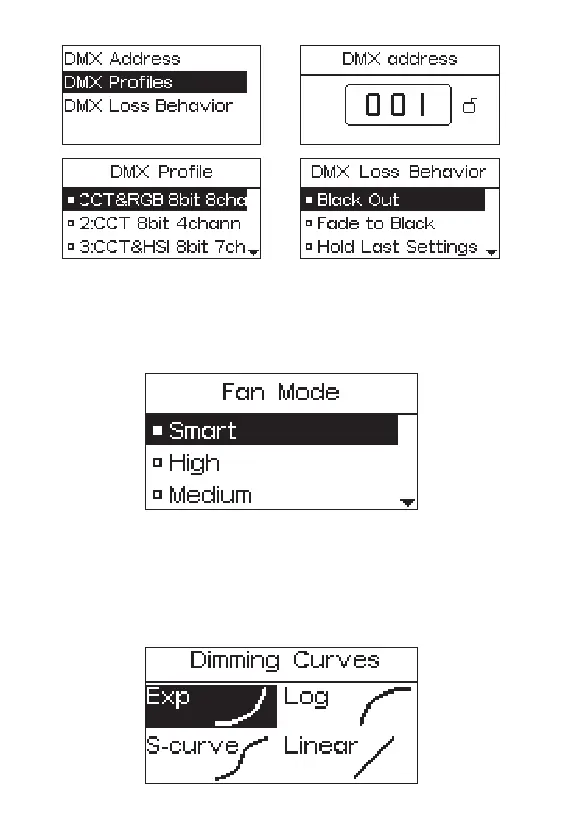
2.3.3 Fan Mode
Press the MENU button to enter the menu interface, rotate the INT wheel and press
to enter the Fan Mode. Turn the INT wheel to choose from smart/ high/ medium/
silent mode, and then press the INT wheel to confirm the selection.
2.3.4 Dimming Curves
Press the MENU button to enter the menu interface, rotate the INT wheel to select
Dimming Curve, and press the INT wheel to enter the Dimming Curve selection
menu. Using the INT wheel to choose from exponential (Exp), logarithmic (Log),
S-Curve, or linear dimming curves, and press the INT wheel to confirm the selection.
- 15 -










 To Next Page