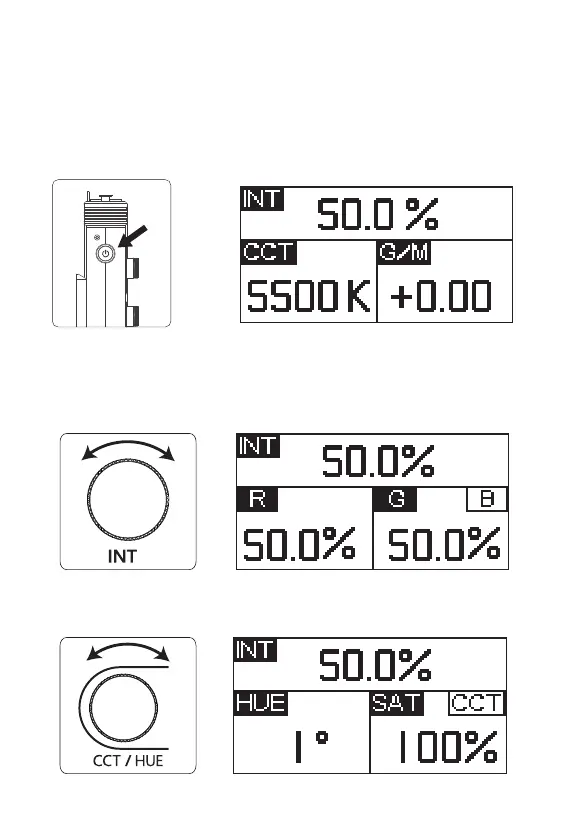
2. Manual Control
2.1 Rotate the Intensity (INT) wheel to adjust the intensity of the light from
0-100%.
Rotate the CCT / HUE wheel to adjust the CCT or HUE Output of the light fixture.
Operations
1. Turn the Light On
-
+
When the lamp body is connected to the power source, connect it to the contact
of the control box through the connecting cable or the Pogo pin of the lamp head,
and short press the power button on the side of the control box to turn on/off the
lamp body.
-
+
- 8 -










 To Next Page