12
Quality for Professionals
7 Programming menu
7.1 Blower fan / spreading plate
In this menu, you can configure if a hydraulic or PTO shaft-powered fan is set up in
lieu of an electric fan or if an MDG or MDS spreader is being operated.
Perform the following actions to open the programming menu for the blower fan /
spreading plate:
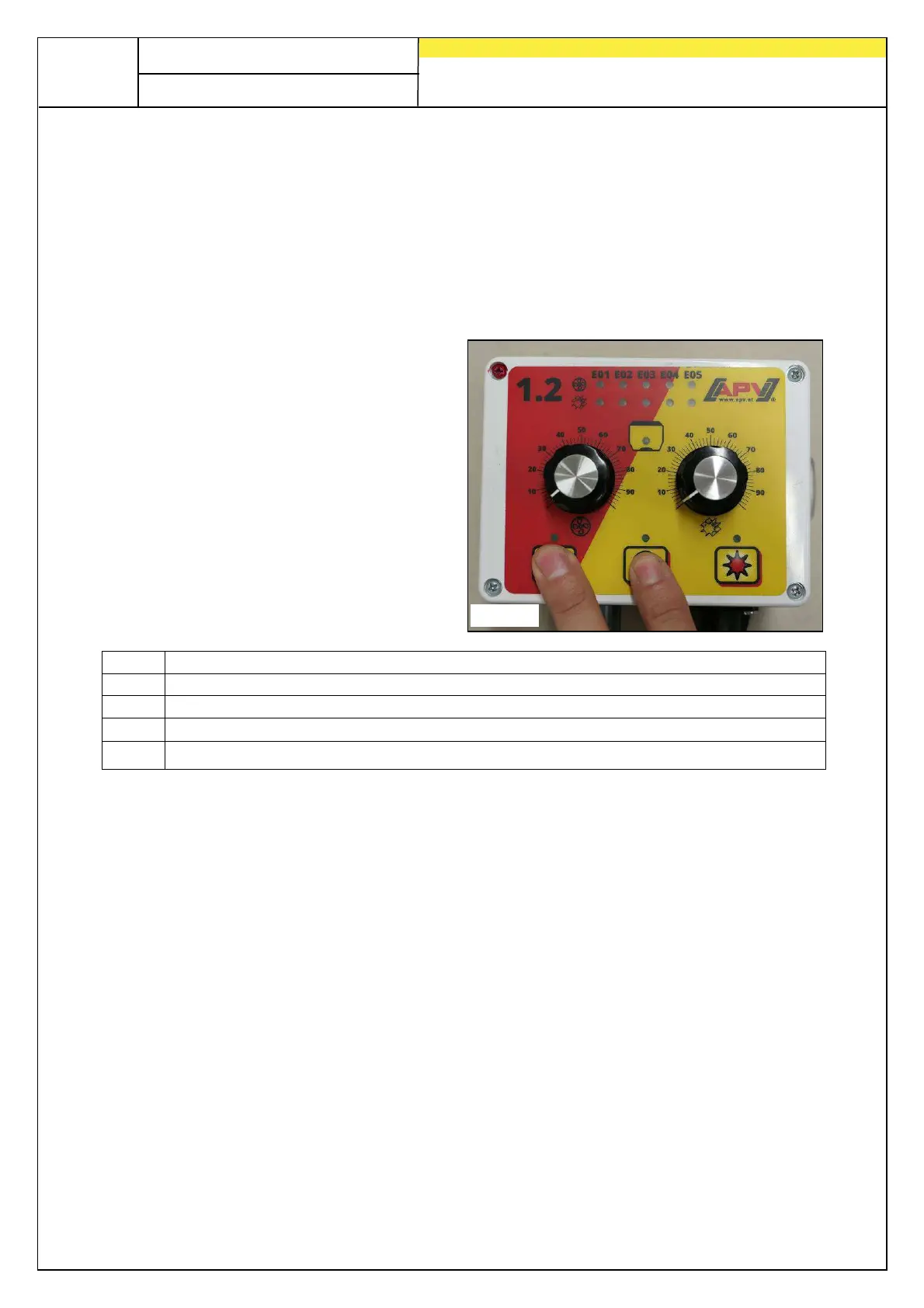
Press and hold the on/off button
and briefly press the blower fan
button at the same time (see
Fig.: 6).
When pressing the blower fan
button repeatedly, the menu points
switch from E01 through E05.
By pressing the on/off button or the
seeding shaft button, the selection
is confirmed.
E01 Electric fan (standard configuration)
E02 Hydraulic fan with pressure switch
E03 Spreading plate (MDS/UD)
E04 Hydraulic fan with fan speed sensor (monitoring function - no display / control)
E05 Hydraulic fan without pressure switch (OFF) or no fan (MDG)
Fig.: 6


 To Next Page