7
1.3. Maintenance
· The window must be kept clean, the supplier do not bear the guarantee
responsibility due to the improper maintenance.
· Avoid the window being wear and tear or scratched by hard object
· Use the hairbrush to remove the stain on the window
· Clean the window with a soft cloth, such as lens cleaning cloth
· Spraying liquid onto the window is prohibited.
· Prohibit any cleaning solvents, except for the cleaning water.
2. Barcode menu
This user manual includes Symbologies settings, function settings (ligh-
ting, keyboard layout, factory default, etc.) and interface settings. If you
need to change the function you need, scan the configuration according
to the configuration code below.
2.1. Restore factory defaults
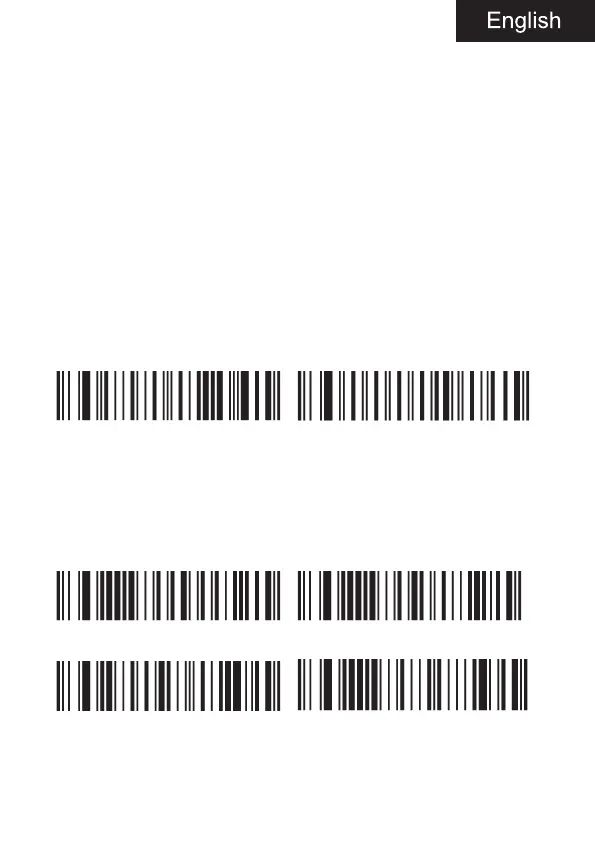
Recall default Read the version number
2.2. Interface mode
Identify as USB keyboard type, scan “USB keyboard” barcode.
USB can be identified as USB com type and USB com type when the
application software needs serial port, which requires the user to install
the driver.
USB keyboard USB Mac
Serial port USB COM



 To Next Page