21
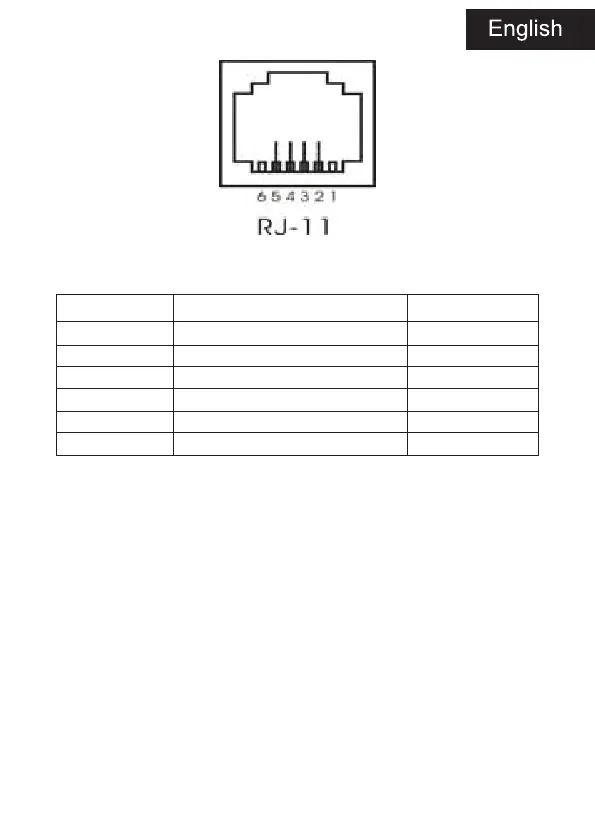
Pin function of cash drawer interface is listed as below:
Pin Number Signal Flow Direction
1 Empty Empty
2 Electrical grounding Output
3 Empty Empty
4 Driver Signal of Cash Drawer Output
5 Empty Empty
6 Empty Empty
7. PRINTER MAINTENANCE
Print Head Maintenance
When the printer has following circumstances, the user should clean the
print head:
- Printing is not clear;
- Some longitudinal columns on the printing page is vague;
- Loud noise when feeding.
Procedure of maintaining the print head is listed below:
1. Turn off the power supply and open the top cover. Remove the paper
if necessary.
2. Please wait for the cooling of print head if it just finishes printing.
3. Use the cotton cloth and dip it in the absolute ethyl alcohol to clean
the surface of print head.
4. When the absolute ethyl alcohol is completely volatilized, please clo-
se the top cover and restart the printer.


 To Next Page