Need help?
Do you have a question about the aqprox! appPOS80AMUSE and is the answer not in the manual?
Read and comply with instructions before operating the printer.
Safety warnings regarding the cutter, print head, and connecting parts.
Notices for proper installation, usage, and care of the printer.
Highlights key functionalities like print quality, noise, and driver support.
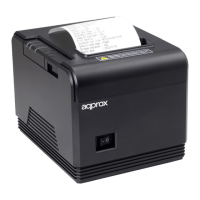
Details on printing method, paper size, speed, resolution, and TPH.
Describes physical connections: power, cash drawer, Ethernet, USB, Serial.
Important notes regarding thermal paper usage and storage to prevent damage.
Specifications for the power adapter and printer power input requirements.
Operating and storage temperature/humidity ranges for the printer.
Instructions to check all parts upon opening the box.
Steps for connecting data lines, cash drawer, and power adapter.
Step-by-step guide for loading thermal paper into the printer.
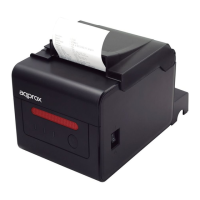
Overview of the printer's buttons and status indicator lights.
Function of the FEED key for paper feeding and self-checking.
How to use the power switch to turn the printer on and off.
Explanation of the status indicator light and buzzer alerts.
Procedure and purpose of the printer's self-testing function.
Details on the RJ-11 cash drawer interface and its output.
Detailed pinout and signal flow for the RJ-11 cash drawer connector.
Instructions for cleaning the printer's thermal print head.
Procedure for cleaning the paperless sensor.
Instructions for cleaning the print roll for better print quality.
Important precautions for routine maintenance and cleaning.
Steps to resolve paper jams in the printer.
Troubleshooting steps for indicator light issues.
Information on installing printer drivers for Windows and Ethernet.
Critical safety precautions for device operation and handling.
Information on selective collection and recycling of electronic waste.
 General
| Type | Thermal Printer |
|---|---|
| Printing Technology | Direct Thermal |
| Print Width | 72mm |
| Resolution | 203 DPI |
| Paper Type | Thermal Paper |
| Paper Width | 80mm |
| Printing Method | Line Thermal Printing |
| Interface | USB, Ethernet, Serial |
| Paper Roll Diameter | 80mm |
| Power Supply | DC 24V, 2.5A |

 To Next Page