18
Notice:
- Firstly, insert the power supply plug DC24V of printer; then connect
the AC220V power; lastly, turn on the switch. Please operate it by the
instruction steps; otherwise, it would damage the printer.
- Using unsuitable power adapter would cause the bad print result;
even may cause the breakdown of printer.
- Do not connect the telephone line to the interface of cash drawer;
because it may result in the damage for printer and telephone.
- Do not pull the power soft wire when unplugging. If the user does it by
force, it may result in the breakdown of the printer and power adapter.
4.3 Load the Paper Roll
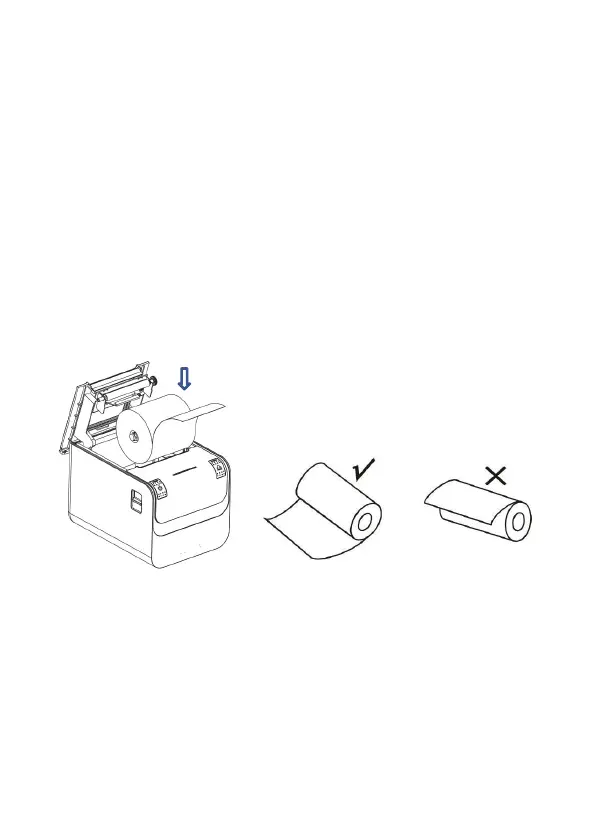
The loading instruction is listed as below:
1. Open the top cover of printer.
2. Load the thermal paper into printer as the following picture.
3. Pull a part of paper out and then close the top cover.


 To Next Page