© 2002 New Aqua LLC dba Aqua Systems • 7785 East US Hwy 36 • Avon, IN 46123
13
Series SC
Installation, Operation,and
Maintenance Manual
Programming
Set Time of Day:
Return to
Normal Operation
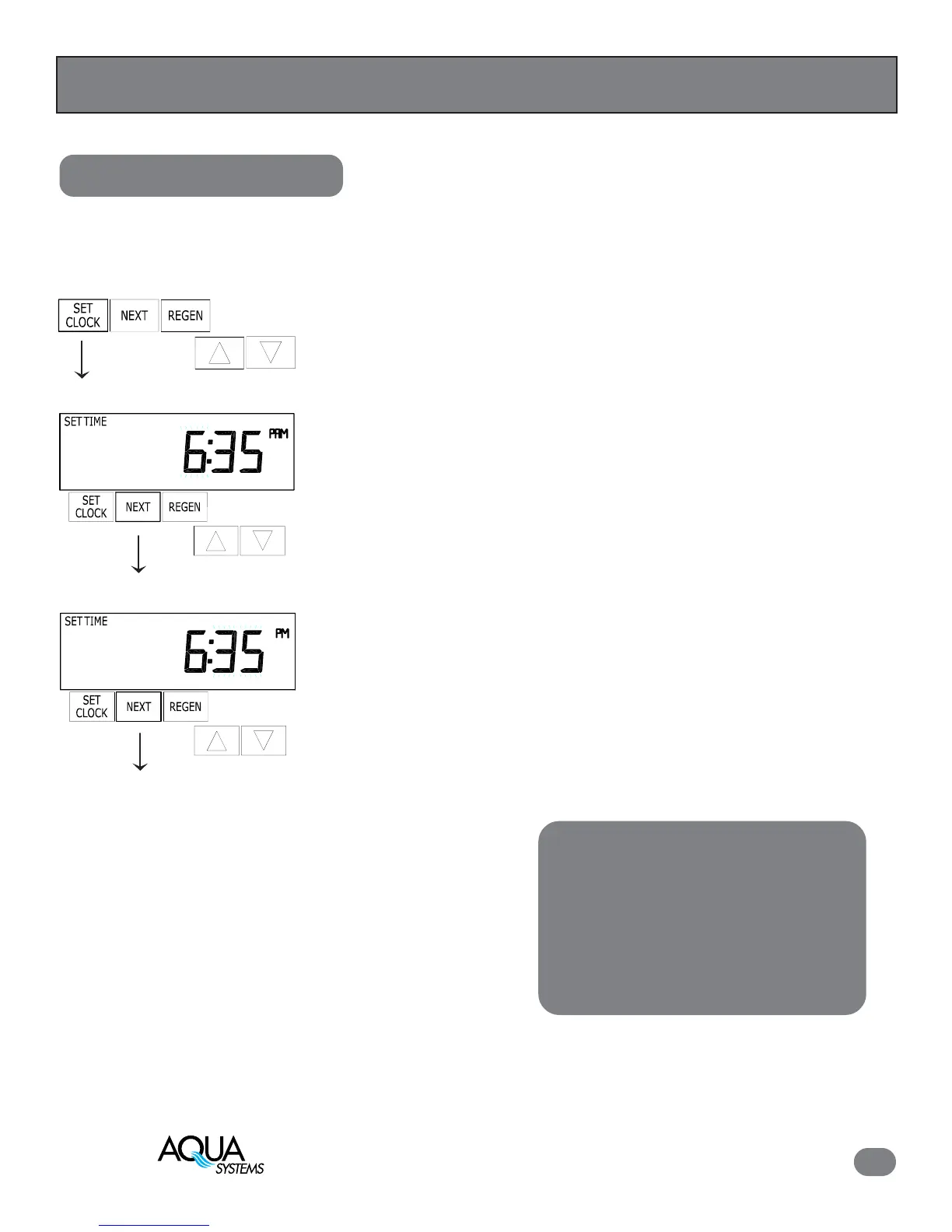
1. Press “SET CLOCK”
2. Current Time (hour): Set the hour of the day using “Up” or “Down”
buttons. AM/PM toggles after 12. Press “NEXT” to go to step 3.
3. Current Time (minutes): Set the minutes of the day using “Up” or “Down”
buttons. Press “NEXT” to exit Set Clock. Press “REGEN” to return to
previous step.
If the power goes out for less than two hours,
the current time will remain correct. If the
power outage is extended, the time of day
will flash, and should be reset. All other
programming will be retained.
Note:


 To Next Page