Page - 9
CAUTION - Failure to heed the following may result in
equipment damage.
l Do not connect two RED wires in the same port. This may
cause damage to the equipment. Damage resulting from
improper wiring will void the unit's warranty.
l Failure to follow instructions may result in property damage.
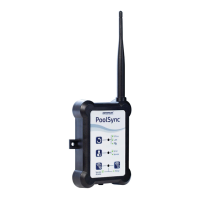
The PoolSync
TM
must be installed and operated as specified.
Failure to do so will void the equipment warranty.
Connect the PoolSync
TM
to an AquaCal
®
heater:
1. Follow the directions shown previously to connect the
PoolSync
TM
to the AquaCal
®
heater.
2. Use a separate four-conductor cable (22 AWG) and connect
the wires to the heater Port D four-pin connector as per below:
l Black wire to GND (or G)
l Yellow/White wire to A (or Y)
l Green wire to B
l
DO NOT attach a second red wire between the heat
pump and the chlorinator. This will damage the
equipment. Secure open wire as per electrical code
to prevent electrical shock.
l Note: It is acceptable to double up two wires on the
same four-pin connector.
3. Verify the wires are firmly held in place by gently pulling on the
wire.
4. Thread the other end of the wire through an available opening
at the bottom of the ChlorSync
®
power supply. Using a strain
relief to secure the wire is recommended.
5. Connect the wires to the four-pin connector on the chlorinator
PCB as per below:
l Black wire to GND (or G)
l Yellow/White wire to A (or Y)
l Green wire to (B)
l
DO NOT attach a second red wire between the heat
pump and the chlorinator. This will damage the
equipment. Secure open wire as per electrical code
to prevent electrical shock.
6. Replace the connector onto the PCB header pins. Be sure to
align correctly. Close the cover and restore power.


 To Next Page