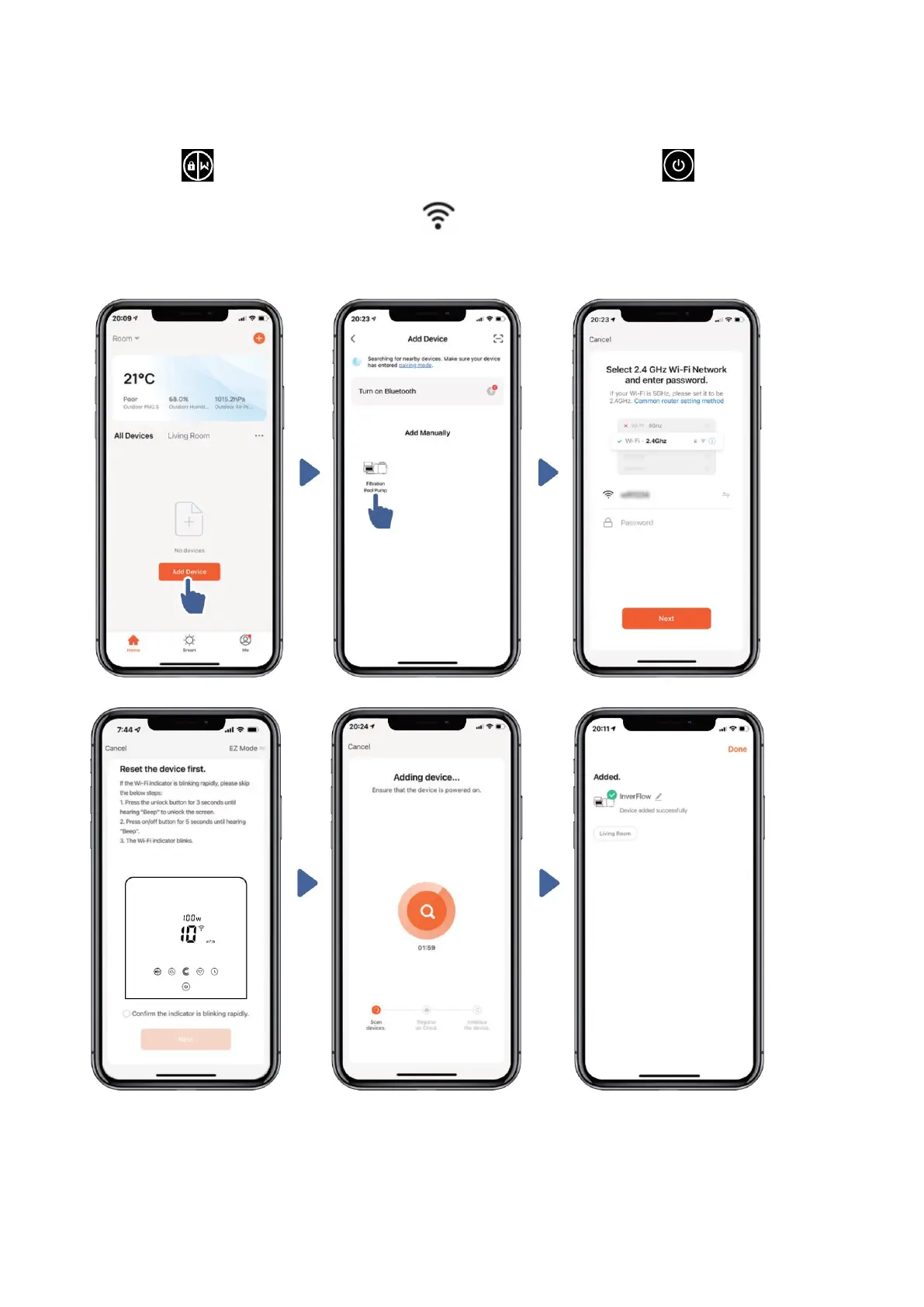
Option 2: With Wifi (Network requirement: 2.4GHz only)
1) Please confirm that your phone is connected to Wifi
2) Press for 3 seconds until hearing “Beep” to unlock the screen. Press for 5
seconds until hearing “Beep” then release. Will flash.
3) Click “Add Device”, and then follow the instructions to pair device.



 To Next Page