9
8 0 0 8 A N D I R I D I U M U S E R G U I D E
©2012 Indy Audio Labs, LLC all rights reserved / Revision20130220
Document No. 1000571
Audio Inputs
We recommend using good quality RCA or XLR inter-
connects to connect the preamp output to the amplier
inputs. Whenever using the RCA (unbalanced) inputs,
insert the included XLR shorting plugs for optimal gain
and noise performance. Do not connect both RCA and
XLR inputs simultaneously.
Pre-amp On/Off Control (12V Trigger)
To enable an external 2-channel or surround preamp to
automatically power on your Aragon amplier, connect
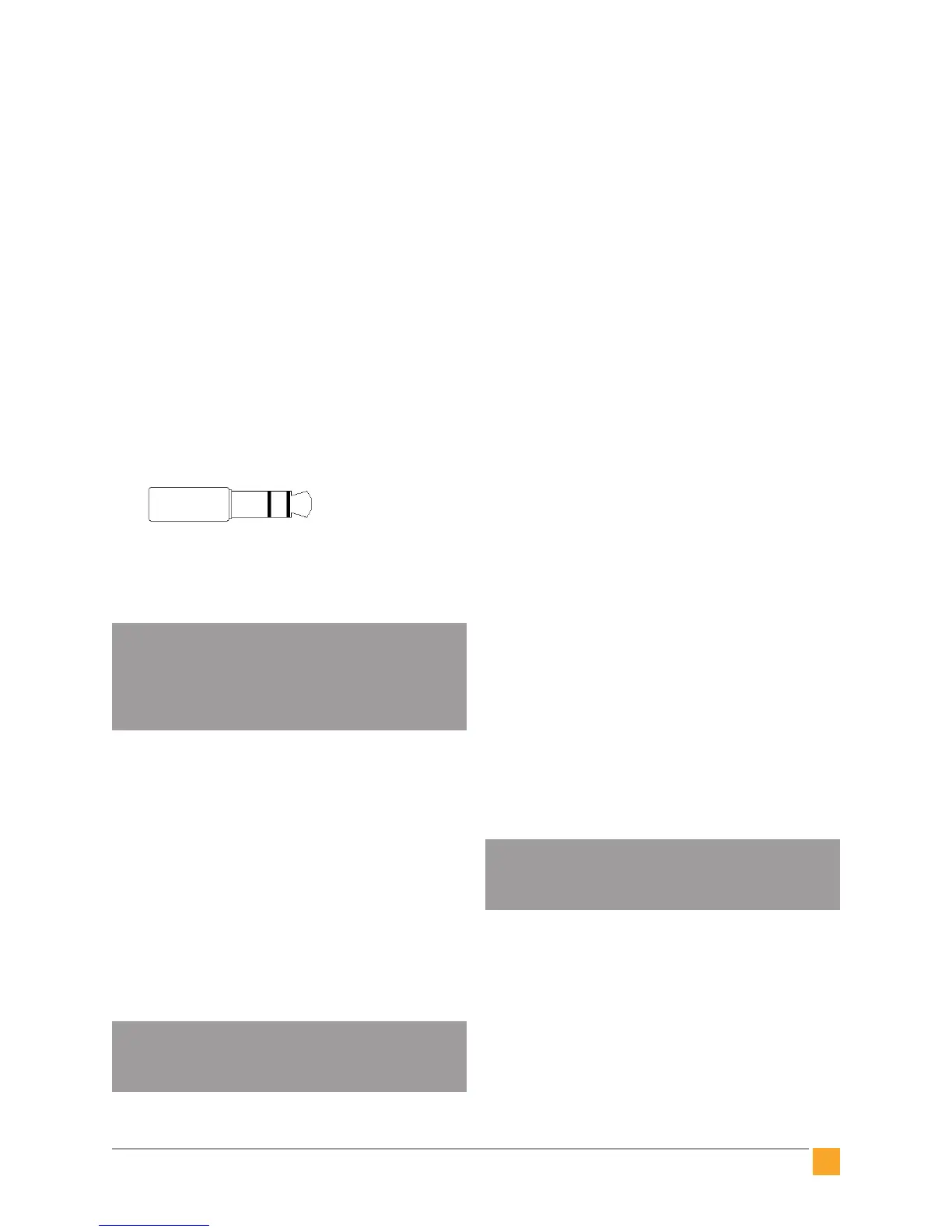
the trigger out from the preamp to the the 3.5mm jack
labelled 12V trigger on the Aragon. The jack is wired
with its tip active and will accept a stereo or mono
1/8” (3.5mm) plug.
NOTE: The front panel power button functions
normally even if the trigger input is used.
The Aragon amplifier will automatically
resume control sync with the external preamp
after the next time system power is cycled.
Mains (AC) Power
Your Aragon series amplier is equipped with a high-
quality 14 gauge, 3-conductor power cord. Plug this
cord into the back of the amplier and then into a nearby
AC outlet. Avoid using any extension cords or plugging
into other components with rear-panel switched outlets.
If using the amplier with a power conditioner, ensure
that the receptacle your amplier plugs into is capable
of providing the full current required by the amplier.
See section entitled Technical Specifications, p16 for
a list of current requirements for each model amplier in
the Aragon series.
It is recommended practice to connect AC
power only after all other connections have
been made.
Control Networks
Ethernet: In order to take advantage of Aragon En-
hanced Ethernet Control (E2C), connect the Ethernet
port to a 10/100 or faster home network router or switch
port via a standard CAT 5e or newer Ethernet cable. The
network activity indicator near the Ethernet jack illumi-
nates green when network activity is detected.
This port may also be directly connected to a system
controller utilizing Ethernet command protocols. Con-
tact your dealer or Aragon Customer Service in order to
verify compatibility with certain control systems.
RS-232: Connect this port to a system controller using a
9-pin RS-232 serial cable in order to control and monitor
the amplier remotely. Contact your dealer or Aragon
Customer Service in order to verify compatibility with
certain control systems.
operation
This section discusses the normal operation of your
Aragon amplier and highlights the control exibility
engineered into this component.
Standby Mode
When rst connected to AC power, your Aragon ampli-
er initializes in standby mode. This is indicated by a
red illuminated Status Light. Normally, the initialization
process takes a few seconds. Once the amplier is
initialized, it is ready to be powered on.
Before powering on, ensure that your preamp
volume level is not too high or else speaker
damage may occur.
Turn on the amplier by pressing the front panel power
button. If an external trigger input from a preamp is
used, turning on the preamp should automatically turn
on the amplier. The Status Light turns blue indicating
the amplier is active. Pressing the power button again
puts the amplier back into standby mode.
1/8” (3.5mm) stereo plug
1 – Ground
2 – Ground
3 – Trigger Voltage
1 2 3


 To Next Page