Table of Contents
Araknis 220/320 Series Managed Switch 6
Installation and Software Guide 6
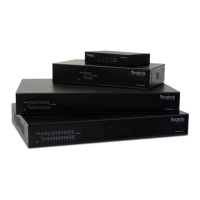
Series overview 6
Unboxing 7
Installation 8
Rack mounting guidelines 8
Connections 10
PoE budgeting 11
LED states and reset procedures 12
Reset procedures 12
Interface access 13
Configuring the switch in OvrC 13
Logging into the web interface 13
Other access methods: DHCP IPaddress 14
Accessing the switch using the default IPaddress 15
Interface overview 21
Definitions 21
Applying and resetting changes 22
System 22
Real-Time Statistics 24
Ports 26
System 27
System Information 27
IP Settings 28
System Time 29
Ports 30
1

 Need help?


 To Next Page
 General