Need help?
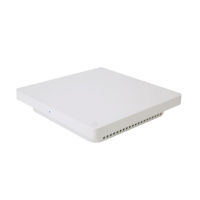
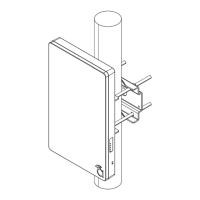
Do you have a question about the araknis AN-500-AP-I-AC and is the answer not in the manual?
Outlines requirements for Power over Ethernet connections.
Step-by-step guide for initial setup via Wi-Fi.
Method to access the web interface using the device's system name.
Ways to access the interface using IP addresses.
Configure static or DHCP IP address, subnet mask, and gateway.
Configure wireless modes, operating channels, and bandwidth for 2.4GHz/5GHz.
Step-by-step guide to enable and configure Fast Roaming.
Create and manage SSIDs, security modes, and broadcast settings.
Configure WEP, WPA, WPA2, and enterprise security modes.
Set up isolated wireless networks for guest access.
Guide to setting up the access point in repeater mode for extended coverage.
Control wireless network availability based on time and day.
Backup, restore, or upload device configuration settings.
Reset the access point to its original factory default settings.
Upload and manage device firmware for updates.
Fine-tune radio settings like transmit power, data rate, and RTS/CTS.
Control network access based on client MAC addresses.
Analyze Wi-Fi channel interference and optimize performance.
Regulate download and upload speeds for network traffic.
Guide to setting up guest networks with Fast Roaming and VLANs.
Instructions for performing a hardware reset on the access point.
 General
| Brand | araknis |
|---|---|
| Model | AN-500-AP-I-AC |
| Category | Wireless Access Point |
| Language | English |


 To Next Page