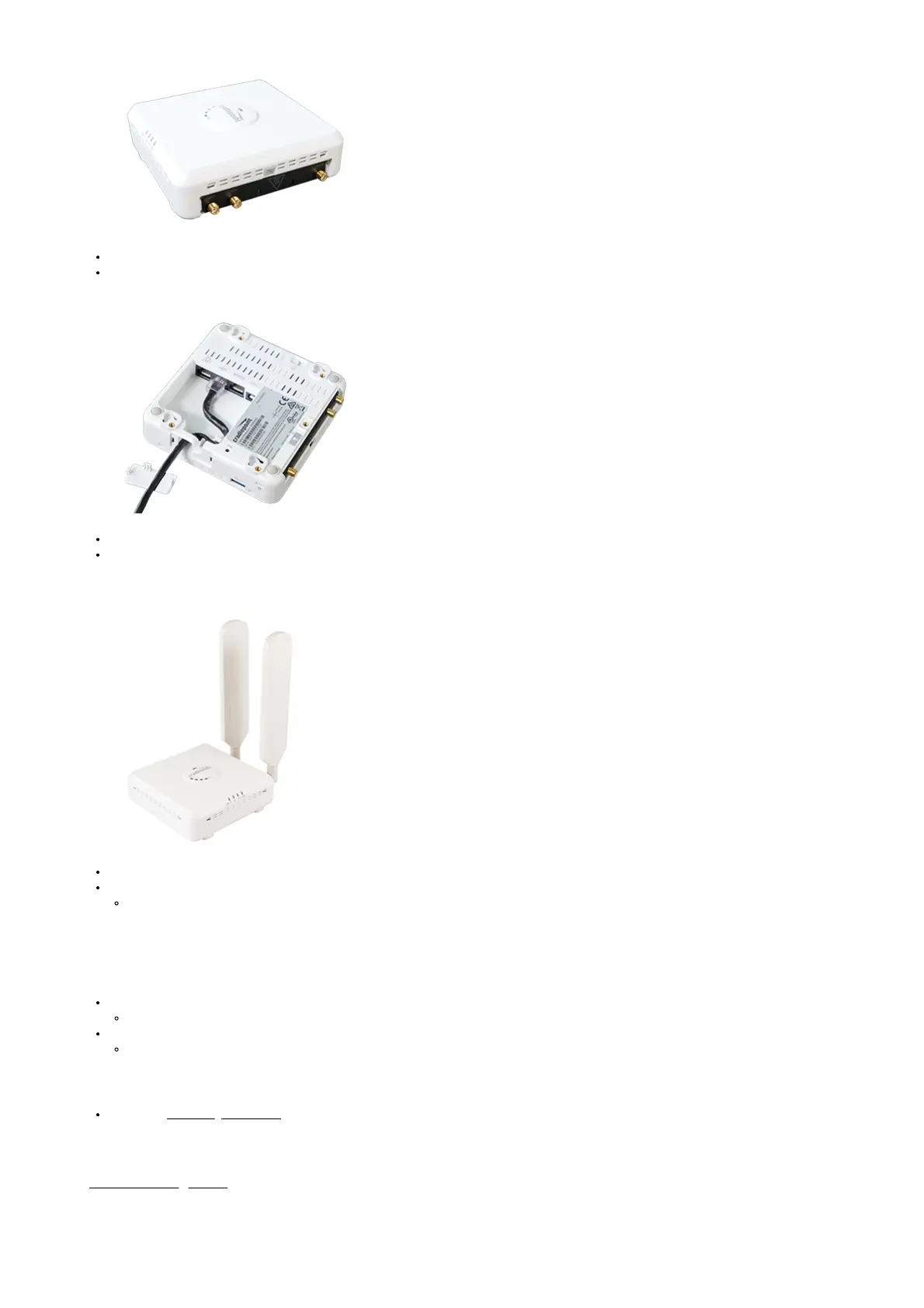
2. Insert the MC400 modular modem.
Slide modem into the modem slot, USB port first, and the Cradlepoint logo on the bottom.
Replace the modem cover and secure with the modem door screw.
3. Connect LAN sources
LAN1 is for local management of the CBA850. LAN2 is for IP Passthrough.
Connect LAN2 to the WAN port of the connected networking equipment.
4. Attach included modem antennas.
Attach the two modem antennas (included with selected modular modem) to the connectors marked MAIN and AUX.
Hold the antenna straight and twist the base of the antenna to connect, folding the joint if needed.
Antennas are jointed for optimal signal positioning.
NOTE: Ensure that the router antennas are not near metal or other RF reflective surfaces.
5. Connect to a power source.
Connect the power supply adapter to the device and plug into a power outlet.
Or, if using PoE, connect the ethernet cable to the LAN2 port and plug the other end into a POE-enabled port on the applicable network router.
Press the power switch to ON (O = OFF, – = ON).
The power LEDs will begin to light up.
6. Activate the device through NetCloud Manager.
Refer to the Connecting to NetCloud section of this document.
Understanding LEDs



 To Next Page