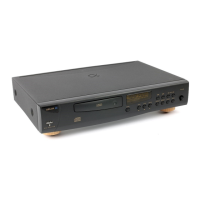
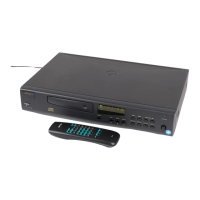
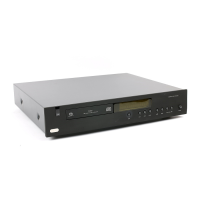
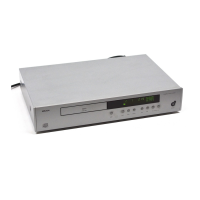
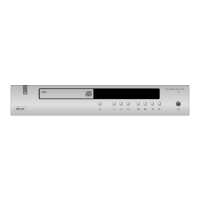
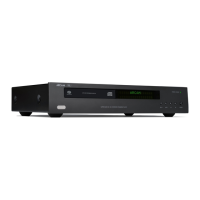
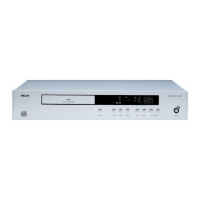
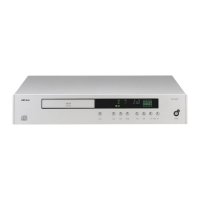
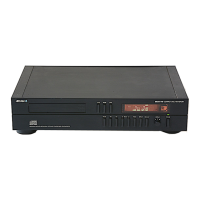
The Arcam Alpha 7SE, 8SE, and 9 CD Players are a series of high-fidelity compact disc players designed to deliver exceptional audio performance. These models share a common chassis, mechanics, and identical controls, differentiating primarily in their digital-to-analogue (D/A) conversion systems. The Alpha 7SE features 24-bit multi-level Delta-Sigma D/A conversion with 24-bit filtering. The Alpha 8SE incorporates a 1-bit PWM DAC along with HDCD® (High Definition Compatible Digital) decoding, utilising the Pacific Microsonics PMD 100 filter. This enhances sound quality for conventional CDs and allows for the reproduction of the full dynamic range of HDCD-encoded discs. The Alpha 9, the top-tier model, boasts a proprietary 24-bit dCS Ring DAC™ for state-of-the-art performance, also featuring the Pacific Microsonics PMD100 chipset for 24-bit digital filtering and HDCD decoding. Arcam CD players can be upgraded by an authorised dealer with appropriate D/A upgrade kits to achieve higher performance models.
Technical Specifications:
- Laser pick-up: 3 beam
- Laser wavelength: 780nm
- Numerical Aperture: 0.45
- Dynamic Range: 106dB
- Signal to noise ratio (CCIR): >100dB
- Harmonic distortion (0dB, 1kHz): <0.005%
- Frequency response (-0.5dB): 20Hz-20kHz
- Output level (0dB): 2.3Vrms
- Output impedance: 50Ω (150Ω on Alpha 7SE)
- Minimum recommended load: 5kΩ
- Digital output connection: 75Ω co-axial, Optical toslink
- Power consumption (max): 25VA max
- Dimensions W/D/H mm: 430x290x85
- Weight:
- Alpha 7SE: 3.6kg nett / 5.1kg packed
- Alpha 8SE: 4.1kg nett / 5.6kg packed
- Alpha 9: 4.1kg nett / 5.6kg packed
- Supplied accessories: Mains lead, Remote control, 2xAAA batteries
Usage Features:
The CD players are operated via front panel controls and a supplied infra-red remote control handset (Philips RC-5 type codes).
- Power: Switches the unit on/off. When first powered up without a CD, the display shows "DISC 0" and then "0".
- Load (Open): Opens and closes the CD tray. The tray accommodates both 8cm and 12cm discs. Place the CD label-side up. After loading, the display shows "DISC", total tracks, and total disc time (e.g., "DISC 10 52.19"). If there are more than 16 tracks, "OVER" is displayed.
- Play: Starts CD playback. To restart from track 1, press "STOP" then "PLAY". Ensure the amplifier's input source selector is set to CD.
- HDCD Recognition: Alpha 8SE and 9 models automatically detect HDCD encoded CDs, indicated by a red LED behind the Arcam badge.
- Stop (■): Stops CD playback. The display shows "0" and the number of tracks.
- Pause (II): Interrupts playback. Press again to resume.
- Search (◄◄ / ►►): Searches backward or forward during play. In "PAUSE" mode, searching is high-speed and muted.
- Track (Previous / Next): Selects tracks. Pressing once restarts the current track. Pressing twice goes to the previous track.
- Display: Dims or turns the display off/on. Turning the display off can slightly improve sound quality. Press once for off, twice for dim, and a third time for full brightness.
- Repeat: Repeats the entire CD or a programmed selection of tracks (display shows "REPEAT"). To repeat a single track, select the track, press "PLAY", then press "REPEAT" twice (display shows "REPEAT 1"). To cancel, press "REPEAT" a third time.
- Prog (Program): Programs up to 24 tracks in any order. Select tracks using track buttons or the 0-9 keypad, then press "PROG" to store them. "RMS" illuminates to indicate programming. The display shows programmed track numbers, total length, and number of tracks programmed. Press "PLAY" to start playback of the programmed tracks. Press "STOP" twice to clear the program.
- Check: Confirms the programmed sequence. Displays the first programmed track number and time. Subsequent presses show next track details and total time. "END" is displayed after the last selection.
- 0-9 Keypad (Remote): Direct access to individual tracks. For tracks >9, enter numbers sequentially (e.g., 1, then 5 for track 15).
- Space (Remote): Inserts a 4-second space between tracks in normal or programmed play. "SPACE" illuminates on the display. Press again to cancel. This space is added to remaining and total time displays.
- A-B (Remote): Repeats a section within one track. Press at the start of the section ("REPEAT" illuminates, "A -" flashes), then again at the end. The selected section plays repeatedly until "STOP" or search buttons are pressed.
- Shuffle (Remote): Plays tracks in random order. Press "SHUFFLE" then "PLAY". During play, shuffle starts from the current selection. "SHUFFLE" illuminates. Press again to stop.
- Scan (Remote): Plays the first 10 seconds of each track. "SCAN" is indicated. Press "PLAY" to continue listening to a scanned track and exit scan mode.
- Clear (Remote): Deletes the last programmed track. To delete a track from the middle, use "CHECK" to locate, then "CLEAR". To delete all, press "STOP" twice or "CLEAR" repeatedly until "0" is displayed.
- Remain (Remote): Displays remaining track time (once), then remaining disc time (twice). A third press reverts to elapsed track time. When disc is not playing, displays total tracks and total playing time.
- Mute (Remote): Stops sound to speaker outputs of certain Arcam amplifiers. Note: "VOLUME" and "MUTE" buttons have no effect on the audio output level of Alpha CD players.
- Volume +/- (Remote): Adjusts volume on Arcam remote controllable amplifiers. Note: "VOLUME" and "MUTE" buttons have no effect on the audio output level of Alpha CD players.
Maintenance Features:
- Power Supply: For optimum sonic performance, the analogue power supply should remain powered up when connected to the mains. The front panel switch powers down other circuitry. A slight residual hum from the mains transformer is normal. If unused for an extended period, disconnect from the wall socket.
- Plug Wiring: If the supplied plug needs rewiring, the blue wire connects to the terminal coloured blue or marked 'N'. The green and yellow wire connects to the terminal coloured green and yellow or marked 'E' or the safety earth symbol. The brown wire connects to the terminal coloured brown or marked 'L'. The unit is double insulated and does not require an earth.
- Positioning: Place the CD player on a level, firm surface. Dedicated sorbothane isolation feet can improve sound quality by isolating vibrations.
- Cleaning: Unplug from mains before cleaning. Wipe with a clean, dry, lint-free cloth. For heavy soil, use a cloth slightly dampened with water/washing-up liquid solution, then dry with a dry cloth. Avoid furniture cleaning sprays/polishes as they can leave difficult-to-remove white marks.
- Non-use Periods: If the unit has a standby function, unplug the power cord from the outlet when left unused for a long period.
- Abnormal Smell/Smoke: If detected, immediately turn off power, unplug the unit, and contact your dealer.
- Servicing: The appliance should be serviced by qualified personnel if the power cord/plug is damaged, objects/liquid have entered, it has been exposed to rain, it does not operate normally, or it has been dropped/damaged. Do not attempt servicing beyond what is described in the handbook.
- Laser Radiation: Invisible laser radiation can cause eye damage if the outer casing is removed while the unit is operating. This is a Class 1 laser product.
Safety Guidelines:
- Read and retain all safety and operating instructions.
- Heed all warnings on the appliance and in the handbook.
- Do not use near water or in wet environments.
- Use only with recommended racks or stands.
- Ensure proper ventilation (minimum 50mm clearance around sides and top).
- Keep away from heat sources and naked flames.
- Connect to the specified power supply type.
- Ensure proper grounding.
- Protect power cords from being walked on or pinched.
- Do not place objects filled with liquids on the equipment.
- The remote control's infra-red receiver is behind the Arcam badge; do not obstruct it.
- Designed for use in moderate climates.
Warranty:
The unit is guaranteed for two years from purchase date for parts and labour costs, provided it was purchased from an authorised Arcam dealer or distributor. The warranty does not cover transportation costs, defects from accident, misuse, abuse, wear and tear, neglect, or unauthorised adjustment/repair. Equipment should be returned in original packing to the dealer or Arcam distributor, carriage prepaid by a reputable carrier.

 Need help?

 To Next Page
 General