Need help?
Do you have a question about the Arcam Delta 70.2 and is the answer not in the manual?
Crucial warnings regarding transit screws, proper packing for transport, and servicing procedures.
Provides initial setup procedures, including checks for mains voltage and correct wiring connections.
Introduces common problems and directs users to the 'In Case of Difficulty' section for solutions.
Explains the purpose of key buttons like POWER, LOAD, PLAY, STOP, PAUSE, and SEARCH.
Addresses issues like no power, unresponsive load/play buttons, and error message displays.
Solutions for problems such as no sound, distorted audio, or sound only from one channel.
Troubleshooting playback issues like incorrect track starts, skipping, and programming errors.
Identifies problems arising from disc quality or incorrect cable connections.
Details the two-year guarantee for UK sales, coverage, and limitations.
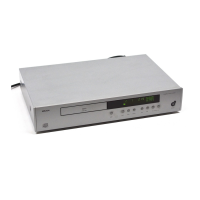
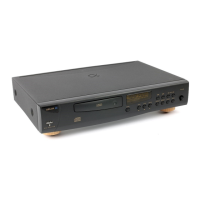
The Arcam Delta 70.2 CD player and Delta 170 CD transport are audiophile products designed to deliver high-quality sound from Compact Discs. These units are intended to be integrated into a hi-fi system, ideally alongside an Arcam Delta range amplifier, tuner, and digital-to-analogue converter, complemented by Arcam loudspeakers.
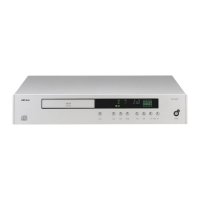
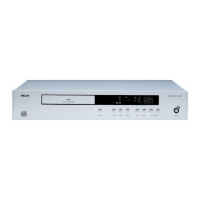
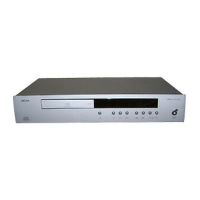
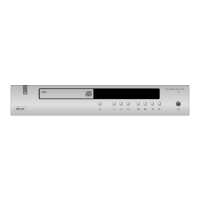
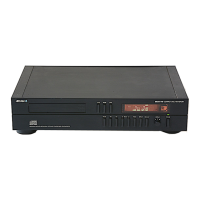
The Delta 70.2 CD player is an advanced version of the Delta 70, offering excellent sound quality and a comprehensive set of features. It incorporates twin transformer power supplies, an improved display that can be dimmed or switched off, and a remote control handset with volume and direct track access capabilities. It features two pairs of audio outputs: direct outputs for the purest sound quality from the internal D/A converter, and variable outputs that provide remote control volume adjustment over a 21dB range, with a slight trade-off in audio quality. A single phono digital output is also available, allowing the Delta 70.2 to be used with an external D/A converter or an amplifier with built-in DACs.
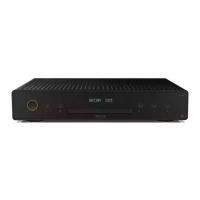
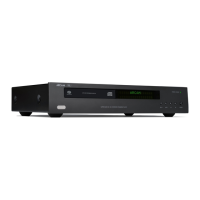
The Delta 170 CD transport is a specialized CD player designed without D/A converters or analogue output stages. Its primary function is to provide a high-quality digital output signal, akin to a high-end turntable motor unit. It must be paired with an external D/A converter or an amplifier/pre-amplifier equipped with DACs. To achieve optimal performance, the Delta 170 includes a CDM1 Mk 2 die-cast transport and twin digital outputs (one optical and one co-axial), each fed by its own transformers and power supplies, ensuring superior isolation. The Delta 170 shares most features with the Delta 70.2, except for the remote control volume function. It offers both a standard phono co-axial digital output and an optical digital output (TOSLINK compatible).
Both units are straightforward to operate. Before use, it is crucial to remove the two large metal transit screws from the base of the machine. These screws should be refitted and tightened if the unit needs to be transported.
The player is switched on by depressing the POWER switch on the front panel. A green LED illuminates, and the main display lights up (if not set to off). If no disc is present, the "DISC" header will flash, "ERROR" will light up, and the display will show zeros. With a disc loaded, the display will show the total number of tracks and total playing time. The display brightness can be adjusted via a control knob, with options for normal, dimmed, or off. Dimming or turning off the display can enhance sound quality.
Discs are loaded by pressing the LOAD button to open the drawer. Discs should be placed label side up. Pushing the LOAD button again or gently pushing the drawer mechanism will close it. The drawer accommodates both 80mm and 120mm discs. To unload, press the LOAD button when the tray is fully open.
To play a complete disc, simply press the PLAY button. If a disc is already playing, pressing PLAY again will restart the current track. The STOP button halts playback and retains any programmed material; pressing it a second time clears the memory. The PAUSE button temporarily interrupts and mutes playback, with the laser head continuing to track the disc. Pressing PAUSE again resumes play.
The PREVIOUS TRACK and NEXT TRACK buttons allow selection of track numbers. These are useful for starting playback from a specific track or for programming. The SEARCH (Reverse) and SEARCH (Forward) buttons move the laser tracking head towards the beginning or end of the track/disc, respectively. These search functions operate at three different speeds depending on how long the buttons are held.
The Arcam Delta CD machines can be programmed to play up to 20 pre-selected tracks in any order. Tracks can be selected using the TRACK buttons or the 0-9 direct entry keypad on the CR10 remote control. Once a track is selected, pressing the PROGRAM button stores it. The "TRACK" header flashes during selection and stops flashing once stored. The display shows the number of programmed tracks and cumulative time. A program can be reviewed by pressing the PROGRAM button, which cycles through the stored tracks. Programs are erased by pressing STOP twice, opening the drawer, or turning off the player.
The CR10 remote control duplicates most front panel functions (except LOAD, POWER, and display brightness) and adds extra features:
For optimal sound quality, especially with the Delta 70.2 and Delta 170, the quality of interconnect cables is critical. High-quality cables, such as AudioQuest LiveWire, are recommended. It is advisable to consult with a dealer regarding cable selection, with a general guideline of budgeting 5% to 20% of the system's price for cables.
The CD machine should be placed horizontally on a flat, firm surface, avoiding soft mats that might restrict ventilation. While stacking is possible, it's best to place the unit at the top or bottom of a stack. Sorbothane feet (supplied with Delta 170) can improve performance by isolating the player from external vibration. Avoid placing the player or its feet on equipment that generates significant heat, such as power amplifiers. Allow at least 1 inch (25mm) of space above the unit for cooling if placed in a cupboard.
The units are designed to operate on various AC voltages (240V, 220V, 120V, 110V, 100V). Always verify that the local mains supply voltage matches the setting indicated on the player's back panel. A detachable mains lead is provided, with specific color codes for wiring to a plug (Green and Yellow for Earth, Blue for Neutral, Brown for Live). Export units may have molded mains plugs.
Both Delta 70.2 and Delta 170 are fitted with an anti-surge mains fuse (315mA for 220/240V, 630mA for 100/110/120V). If a fuse fails, switch off and disconnect the player from the wall socket. To replace, remove the top plate by unscrewing the two rear screws. A spare fuse is typically found in the spares kit or inside the machine near the mains inlet. If a new fuse also fails, the player should be returned to a dealer for repair.
CDs should be handled carefully, by their edges, and returned to their cases after use. For fingerprints, dust, or dirt, use a soft, lint-free cloth, wiping in a straight line from the center to the edge. Breathing lightly on the disc can help. Avoid detergents, abrasive cleaning agents, or record cleaning solutions. Never write on the disc label, as corrosive inks can damage the information layer.
Clean the cabinet with a soft, damp cloth. Do not use cleaning agents containing alcohol, spirits, ammonia, or abrasives. "Windolene" can be effective for stubborn stains. Keep the disc tray free of dust. Other than changing a fuse, do not attempt to adjust or modify anything inside the player, as this will void the warranty.
A list of possible faults and their causes is provided in the manual. If problems persist after following the guidelines, disconnect the machine from the mains and contact your dealer.
The transformers in Delta CD machines have low magnetic field radiation, but may occasionally interfere with sensitive equipment like amplifier cartridge inputs or cassette recorder replay circuitry, manifesting as a low-level hum. This can be resolved by changing the relative position of the interacting items or switching off the CD player when other items are in use. The transformers are located on the right side of the unit.
CD players can also radiate some radio frequency (r.f.) signals, which might interfere with nearby tuners and radios, especially on AM wavebands. To mitigate this, move the tuner or radio aerial away from the CD player, re-orient it for minimum interference, or switch off the CD player when using the tuner or radio.
 General
| Type | CD Player |
|---|---|
| DAC | 16-bit |
| Output | RCA |
| Output Voltage | 2V RMS |
| Digital Output | Coaxial |
| Frequency Response | 20Hz to 20kHz |
| Total Harmonic Distortion | < 0.005% |

 To Next Page