05
Turning on Link Pro
STEP 1
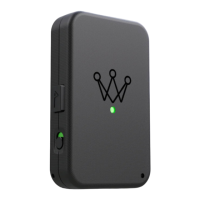
To power on your Link Pro device, slide the
power switch so that the switch displays
green. Once the device powers on, you will
see the light turn on.
NOTE: Once Link has successfully gone
through the pairing process, we recommend
turning your Link device on prior to the first
tee so it has time to properly acquire a
GPS signal.


 To Next Page