12 / 56 EN
Television / User Manual
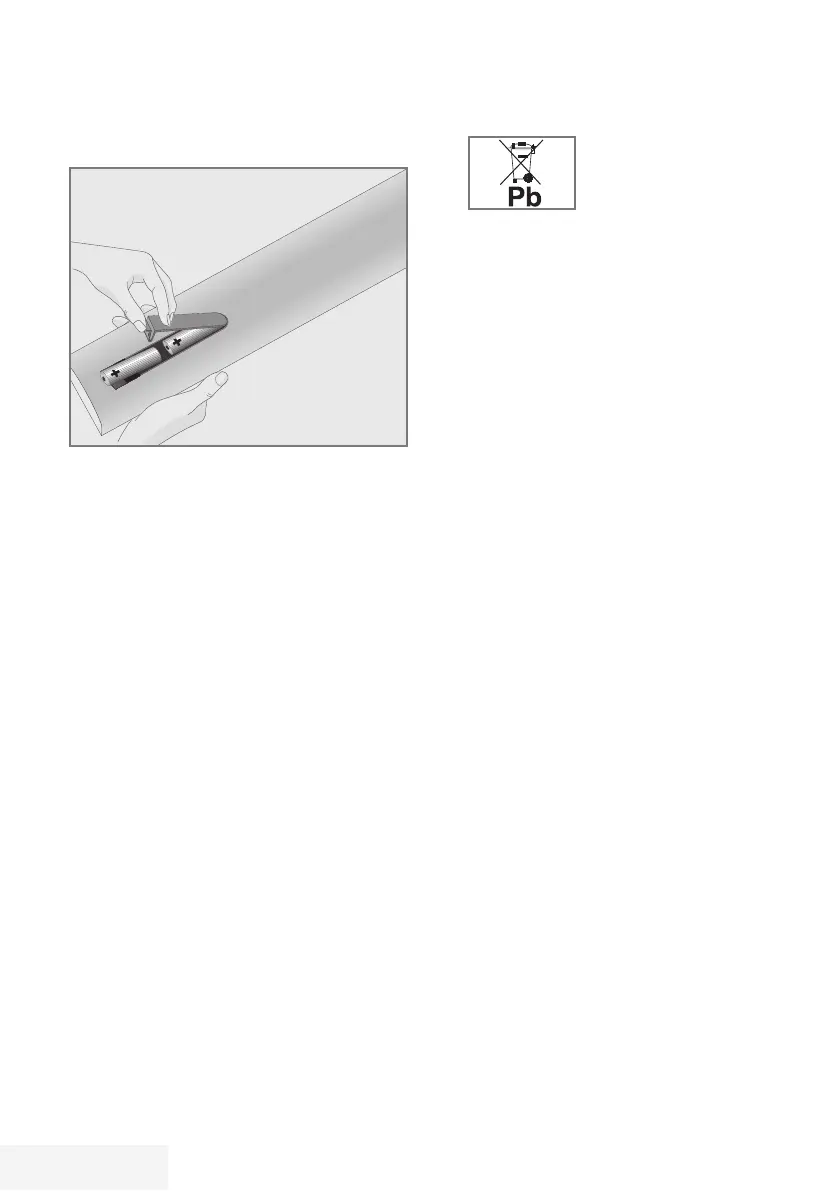
Inserting batteries in the remote
control
CONNECTION/PREPARATION
-----------------------------------------------------
1 Open the battery compartment by removing
the lid.
2 Insert the batteries (2 x 1.5 V micro; for
example R03 or AAA). Observe the
polarity (marked on the base of the battery
compartment).
3 Close the battery compartment.
Note:
7
If the television no longer reacts properly
to remote control commands, the batteries
may be flat. Be sure to remove used
batteries.
7
The manufacturer accepts no liability for
damage resulting from used batteries
Environmental note
7
Make sure that the
exhausted batteries
are disposed in
accordance with the
local laws and regulations. The symbol
on the battery and package states that
the battery supplied with this product
should not be considered as a household
waste. In some cases, this symbol might be
used together with a chemical symbol. If
the batteries contain mercury more than
0.0005% or lead more than 0.004%, a
chemical symbol -Hg for mercury and Pb for
lead- will be placed under the symbol. By
ensuring proper disposal of these batteries,
you will have contributed in prevention
of potential hazards on the environment
and human health that may arise from
inappropriate disposal of the batteries.



 To Next Page