6 7
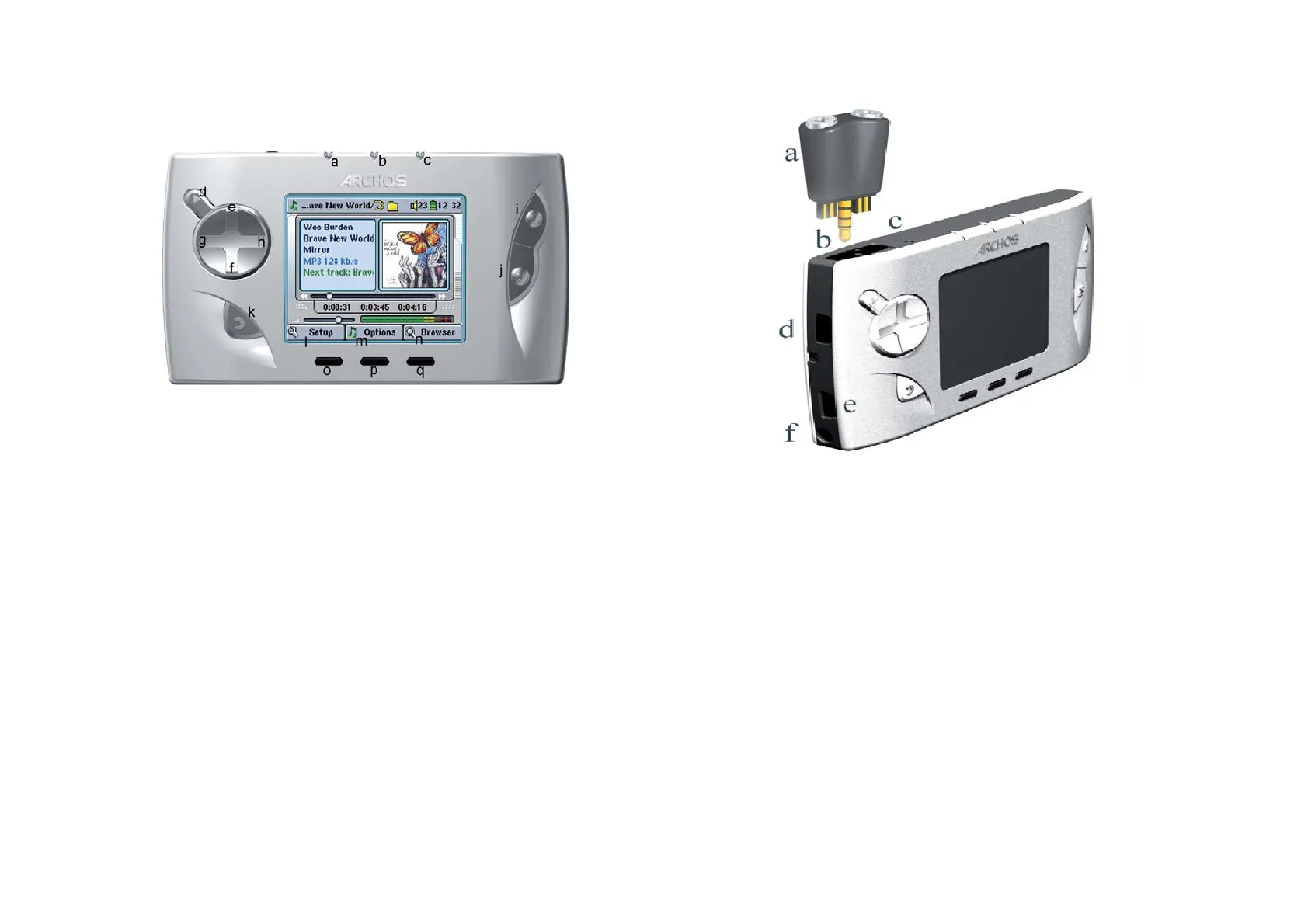
a Multiconnect adapter – allows for an analog audio input (Line In)
b Multi-connect jack – for headphones, AV cable, or FM Remote control
(optional accessory)
c Microphone – for making digital voice recordings
d USB Host port
e USB 2.0 port (USB 1.1 compatible) to connect the Gmini
™
402 to your computer
f Power Connector (Use only the supplied ARCHOS
™
power charger/adapter)
a Hard disk activity indicator (red)
b On indicator (green)
c Battery charger indicator (green) – blinks when the battery is fully charged
d On/Enter/Play/Go
► – Hold for 3 seconds to turn on the Gmini
™
402
e Move UP (also increases volume during media playback)
f Move DOWN (also decreases volume during media playback)
g Move LEFT (also plays previous song or fast reverse through a song or video)
h Move RIGHT (also plays next song or fast forward through a song or video)
i Game Control 1 (Function depends on game) [acts as Enter/Play when not
in game mode]
j Game Control 2 (Function depends on game) [acts as Escape/Stop when
not in game mode]
k Escape/Stop/Go back/Off - Hold for 3 seconds to turn off device
l F1 command or function
m F2 command or function
n F3 command or function
o Function button F1 – activates the on-screen function or command above it (l)
p Function button F2 – activates the on-screen function or command above it (m)
Long press to switch display between built in screen and external TV
q Function button F3 – activates the on-screen function or command above it (n)
1
INTRO - Buttons and Connections



 To Next Page